How To Animate Source Text in After Effects
After Effects CC 2023: How To AnimateSource Text Property
This tutorial will show you how to animate the Source Text Property in Adobe After Effects CC 2023 to change the Text without have to add additional Text Layers.
Keyboard Shortcuts:Cmd/Ctrl + T: Add Text
Shift + Cmd/Ctrl + Right Arrow: Move CTI Forward 10 Frames
Font Used in Tutorial:
https://fonts.google.com/?query=londrina
Different Ways To Add Text:Click on the T for Text Tool (double-click to center in Comp)
Use the Keyboard Shortcut Cmd/Ctrl + T
Go to the Layers Menu and Select New…Text
Right-click anywhere and select New…Text
Chapters:
00:00 Intro: About the Tutorial
00:17 Add Text (Cmd/Ctrl + T))
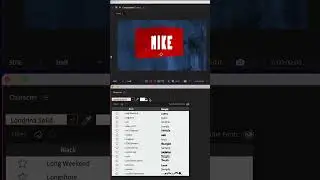
00:28 Character Panel (Londrina Solid Font)
00:38 Source Text: Add A Keyframe
00:54 Hold Keyframes 101
01:15 Add Additional Text (Keyframes)
01:35 Move down the Timeline (Shift + Cmd/Ctrl + Arrow)
02:13 How To Edit Text
02:29 How To Center Align Source Text
———————
To try or buy Adobe After Effects CC 2023:
https://mikemurphy.co/adobe (affiliate link)
———————
How To Add Text in Adobe After Effects CC 2023:
1. Create a new Composition (Cmd/Ctrl + N)
2. Click on the Type Tool or use the keyboard shortcut Cmd/Ctrl + T
3. Click on the Composition Window
4. Start typing to add text
5. Use the Character Panel to change font, size, color.
6. Use the Align Panel To Center Text in Comp
How To Animate Source Text Property:
1. Drag CTI to beginning of the Timeline
2. Twirl open text Layer
3. Twirl open Text
4. Click on the Stopwatch for Source Text to add a Hold Keyframe
5. Drag the CTI forward in time 10 frames (Shift + Cmd/Ctrl + Right Arrow)
6. Double-Click on Text in Comp
7. Type in a new word (a new keyframe will be added automatically)
8. Repeat by moving CTI forward 10 frames
9. Type in a New Word until all words have been added
10. Drag CTI to beginning and tap the Spacebar to Prevew
How To Center Align Text:
1. Select all keyframes (all text)
2. Go to Paragraph Panel
3. Click on ‘Center Text’
4. Select Layer
5. Go to ‘Align’ Panel
6. Click Center Vertical & Center Horizontal
7. All new text added will be centered in the Comp
---------------------------------------------------------------
➜Amazon Influencer Store: https://www.amazon.com/shop/mikemurphyco
➜Gear & Resources I Use:: https://mikemurphy.co/resources
➜ Get Adobe Creative Cloud: https://mikemurphy.co/adobe
➜Screencast Software:
Screenflow: https://mikemurphy.co/screenflow
➜Livestream Software:
Ecamm Live: https://mikemurphy.co/ecammlive
➜Online Courses Software:
Teachable: https://mikemurphy.co/teachable
➜Nord VPN Online Security (61% off!)
Get NordVPN: https://nordvpn.com/mikemurphy
Use Coupon Code: mikemurphy
---------------------------------------------------------------
➜ VISIT MY WEBSITE:
- https://mikemurphy.co
➜ SUBSCRIBE TO PODCAST
-https://mikemurphy.co/mmu
➜ SOCIAL MEDIA:
- Instagram: / mikeunplugged
- Facebook: https://mikemurphy.co/facebook
- Twitter: / mikeunplugged
- YouTube: https://mikemurphy.co/youtube
- Medium: / follow
Amazon Associates Disclosure:
Mike Murphy is a participant in the Amazon Services LLC Associates Program, an affiliate advertising program designed to provide a means for sites to earn advertising fees by advertising and linking to Amazon.com
Auf dieser Seite können Sie das Online-Video How To Animate Source Text in After Effects mit der Dauer stunde minuten sekunde in guter Qualität ansehen, das der Benutzer Mike Murphy Co 09 Februar 2023 hochgeladen hat, den Link mit Freunden und Bekannten teilen, dieses Video wurde auf Youtube bereits 9,515 Mal angesehen und es wurde von 101 den Zuschauern gefallen. Viel Spaß beim Betrachtenden Zuschauern gefallen!