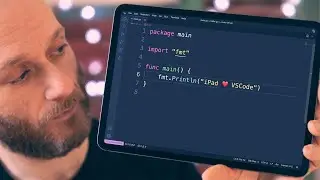
VSCode on iPad Pro - Full Setup Guide with Raspberry Pi
Get a mobile VSCode setup on your iPad Pro/Raspberry Pi using the wonderful Code Server project.
NOTE: This is a re-upload of an earlier video that only had audio in the left channel. This one has audio in both channels!
All commands can be found on my website at: https://techcraft.co/videos/2022/2/vs....
CHAPTERS
=========
00:00 VSCode on iPad Pro
00:44 Installing NodeJS
01:30 Install code-server
02:32 Default configuration
04:08 Connecting from Blink
05:53 Full screen Safari
07:10 Re-enable password authentication
07:34 Auto start code-server
09:38 Installing extensions
12:10 Secure mode
LINKS
=====
NodeSource Binary Installation: https://github.com/nodesource/distrib...
Code Server: https://coder.com/docs/code-server/la...
Blink Shell: https://blink.sh
GEAR
=====
iPad Pro 11" - https://geni.us/H0qJ
Apple Magic Keyboard - https://geni.us/8uBg
Anker Thunderbolt 3 Cable - https://geni.us/BTOsQ
Aluminium Armour Case - https://geni.us/M5ph
AFFILIATE LINKS
==============
Tech Craft is a participant in the Amazon EU Associates Programme, an affiliate advertising programme designed to provide a means for sites to earn advertising fees by advertising and linking to Amazon.co.uk
Auf dieser Seite können Sie das Online-Video VSCode on iPad Pro - Full Setup Guide with Raspberry Pi mit der Dauer stunde minuten sekunde in guter Qualität ansehen, das der Benutzer Tech Craft 16 März 2022 hochgeladen hat, den Link mit Freunden und Bekannten teilen, dieses Video wurde auf Youtube bereits 142,317 Mal angesehen und es wurde von 2.5 tausend den Zuschauern gefallen. Viel Spaß beim Betrachtenden Zuschauern gefallen!