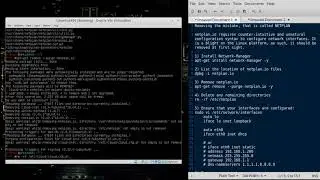
Tutorial: How to Perform Backups and Crontab Scheduling on Linux and Unix
Lab 0x06 - Linux Backups, Cron, and Scripting
Overview
This lab should expose the student to backups using tar and chronological tables using scripts. Additional investigation into tar, network backup transfer, and encryption are encouraged.
Create your first backup script:
date +%Y%m%d.%H%M
vi sys_backup.sh
#!/bin/bash
Comment/NAME 20200422.2000hrs
Backup script
var_date=`date +%Y%m%d.%H%M`
tar czf /opt/backups/Daily-$var_date.tar.gz /etc /var/www /var/log
chmod 775 sys_backup.sh
ll backups/
ll
Change the files to their final names:
cp sys_backup.sh sys_backup_weekly.sh
mv sys_backup.sh sys_backup_daily.sh
Change the weekly backup to reflect the proper name:
vi sys_backup_weekly.sh
#!/bin/bash
Comment/NAME 20200422.2000hrs
Backup script
var_date=`date +%Y%m%d.%H%M`
tar czf /opt/backups/Weekly-$var_date.tar.gz /etc /var/www /var/log
Configure the chronological table:
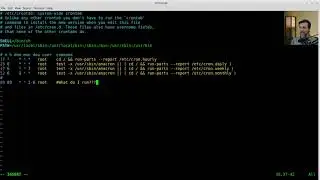
vi /etc/crontab
/etc/crontab: system-wide crontab
Unlike any other crontab you don't have to run the `crontab'
command to install the new version when you edit this file
and files in /etc/cron.d. These files also have username fields,
that none of the other crontabs do.
SHELL=/bin/sh
PATH=/usr/local/sbin:/usr/local/bin:/sbin:/bin:/usr/sbin:/usr/bin
m h dom mon dow user command
17 * * * * root cd / && run-parts --report /etc/cron.hourly
25 6 * * * root test -x /usr/sbin/anacron || ( cd / && run-parts --report /etc/cron.daily )
47 6 * * 7 root test -x /usr/sbin/anacron || ( cd / && run-parts --report /etc/cron.weekly )
52 6 1 * * root test -x /usr/sbin/anacron || ( cd / && run-parts --report /etc/cron.monthly )
#
00 00 * * 1-6 root /opt/sys_backup_daily.sh
00 00 * * 7 root /opt/sys_backup_weekly.sh
#linux #backup #scripting #scriptingtechnique #chmod
Thank you for dropping by!
Please join me:
/ paulwpoteete
/ paulwpoteete
/ paulwpoteete
Tutorial: How to Perform Backups and Crontab Scheduling on Linux and Unix
TIMESTAMPS
00:00 Introduction to Backups
01:26 Backups
06:15 Cron
07:44 Scripting
11:37 Run
12:00 Backups Info
16:35 Conclusion to Backups
Auf dieser Seite können Sie das Online-Video Tutorial: How to Perform Backups and Crontab Scheduling on Linux and Unix mit der Dauer stunde minuten sekunde in guter Qualität ansehen, das der Benutzer The Expat Professor 24 April 2020 hochgeladen hat, den Link mit Freunden und Bekannten teilen, dieses Video wurde auf Youtube bereits 20,139 Mal angesehen und es wurde von like den Zuschauern gefallen. Viel Spaß beim Betrachtenden Zuschauern gefallen!