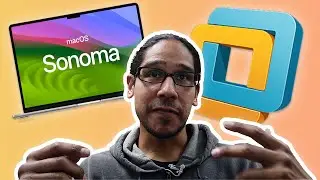
Install macOS 14.0 Sonoma on VMware Workstation 17!
How to install macOS 14.0 Sonoma on VMware Workstation 17 step by step instructions.
Chapters
0:00 Introduction
0:16 Download macOS 14 Sonoma
0:41 Download Command
0:59 macOS 14 Beta App
1:16 Create Empty Sonoma Volume
1:43 Mount Sonoma Volume
1:48 macOS Create Media Installer
2:08 Run Create Install Media
2:33 Detach macOS Install Beta
2:44 Convert into CDR file
3:08 Convert CDR into ISO File
3:21 Download Unlocker
3:50 Extract Unlocker Zip File
4:06 Run Unlocker to Enable macOS
4:45 Create New VMware Workstation
5:21 Edit macOS Virtual Machine
5:50 Start macOS Virtual Machine
6:05 Partition the VM Hard Drive
6:23 Install macOS 14
8:51 Conclusion
#macos #sonoma #btnhd
Don't forget guys, if you like this video please "Like", "Favorite", and "Share" it with your friends to show your support - it really helps us out! If there's something you'd like to see on the channel, tweet us about it! See you next time :)
********************************************************
The Music I Use: https://btnhd.com/BTNHDMUSIC
Stock Images & Video I use: https://btnhd.com/BNTHDVIDEONPHOTOS
BTNHD GitHub Repo - https://btnhd.com/BTNHDGitHub
Join Newsletter - https://btnhd.com/JoinBTNHDNewsLetter
Follow Me at Twitter: / bjtechnews
Hang Out: https://www.periscope.tv/bjtechnews
Tech Site: https://bjtechnews.org
Twitch.tv: / t3chz3ro
Instagram: / bjtechnews
Facebook: / bjtechnews
Auf dieser Seite können Sie das Online-Video Install macOS 14.0 Sonoma on VMware Workstation 17! mit der Dauer stunde minuten sekunde in guter Qualität ansehen, das der Benutzer BTNHD 09 Juni 2023 hochgeladen hat, den Link mit Freunden und Bekannten teilen, dieses Video wurde auf Youtube bereits 7,172 Mal angesehen und es wurde von 60 den Zuschauern gefallen. Viel Spaß beim Betrachtenden Zuschauern gefallen!