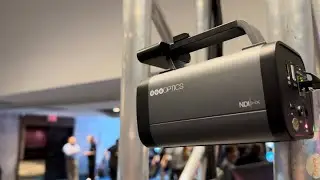
Everything you need to know about NDI for OBS - Chapter 25 - OBS Superuser Guidebook
Watch the whole playlist here - • The OBS Superuser Guidebook
Get the book free here - https://streamgeeks.us/obs-superuser/
Early access to the course on Udemy here - https://www.udemy.com/course/obs-supe...
At the heart of NDI® connectivity is your local area network (LAN). A LAN is a group of computers and other hardware or devices that are connected using established networking protocols. These devices may be connected using ethernet cables or via WiFi connectivity. A LAN can be as simple as a computer, tablet, or printer connected on a basic home network, or as complicated as hundreds of computers and devices in an office building. All computers and devices connected with networking equipment are considered part of a local area network. Outside of the LAN is the wide-area network (WAN). An Internet Service Provider (ISP) provides LANs with a secure connection to the WAN which delivers internet access.
A router is a common type of networking equipment that provides a safe communication space for computers connected to the network to access the internet. The rules of the LAN are generally managed by the router which has a management page that can be accessed securely by a computer on the network. The router manages the other computers and devices on the network and can even give devices IP addresses automatically using a protocol called Dynamic Host Configuration Protocol (DHCP). Some routers include a built-in network switch, but most are connected to a larger network switch which provides connectivity between all of the devices on the network. Some routers include WiFi connectivity with a built-in Wireless Access Point (WAP). Many networks distribute WAPs throughout an area to provide WiFi connectivity throughout a large space. Each WAP should be connected to the network with ethernet cables and many are Power Over Ethernet (PoE) capable. A PoE device can be powered by PoE enabled networking equipment using standard ethernet cables.
🐱👤 JOIN STREAMGEEKS NOW: https://bit.ly/3hUzAiX
👍 HIT THE LIKE BUTTON TO SUPPORT THE CHANNEL!
👕 MERCH: https://bit.ly/3hUidi1
►Social Media Links
📷 Instagram: / streamgeeks
🐥Twitter: / streamgeeks
📘 Facebook: / streamgeeks
👾 Twitch: / sgeeks
►Sign Up for Live Show Notifications
https://bit.ly/3wwgNhV
► Watch our Latest Live Stream:
https://bit.ly/3oQlEYs
► Free live stream UDEMY Course
https://bit.ly/3oQ8ZVH
► FREE OBS Course
https://bit.ly/3hRTYRx
Hey, thanks for reading the description for more info on the community. Since you read this far, comment 'StreamGeeks Ninja! 🐱👤' and I will 💖 your comments!
Videos may be more frequent and walk-throughs completed based on your views & likes! It helps to know what you want to see the most! Thanks!
Remember to keep comments respectful and to follow YouTube's Community Guidelines here: https://www.youtube.com/yt/about/poli...
JOIN THE CHANNEL FOR MORE PERKS: https://bit.ly/3hUzAiX
Hashtags: #streamgeeks, #livestreaming, #tech, #videoproduction, #OBSProject, #OBS, #NABShow, #StreamingIdiots, #streamingmedia, #webinar, #collaboration #wirecast #vmix #newtek #Tricaster #blackmagic #FacebookLive #YouTubeLive #videography #camera #NDI
Auf dieser Seite können Sie das Online-Video Everything you need to know about NDI for OBS - Chapter 25 - OBS Superuser Guidebook mit der Dauer stunde minuten sekunde in guter Qualität ansehen, das der Benutzer StreamGeeks 10 März 2022 hochgeladen hat, den Link mit Freunden und Bekannten teilen, dieses Video wurde auf Youtube bereits 3,865 Mal angesehen und es wurde von 83 den Zuschauern gefallen. Viel Spaß beim Betrachtenden Zuschauern gefallen!