Screenflow 8: Write-On Text Animation (Typewriter)
#screenflow #telestream #typewriter
Screenflow Version 8.2.2
Try or Buy Screenflow (affiliate link):
https://mikemurphy.co/screenflow
How to add a write-on text animation effect in Screenflow 8
Add text layer in Screenflow
1. Click on T in Inspector Panel
2. Click + to add Type
3. Type in text
4. Change font (I used a font called Jaywalker in this tutorial)
5. Scale to size and center using smart guides
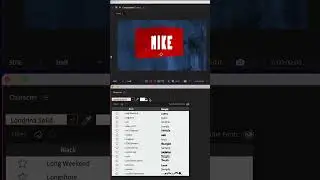
To add Write-On Effect (Build in):
1. Click on text layer in timeline
2. Click on Type Properties in Inspector Panel
3. Tick checkbox for ‘Build in Animation’
4. Select ‘Typewriter’ from drop-down menu
5. Click play button to preview
6. Duration I used : .75
7. Check ’Fade Characters’ for Motion Blur
To add Write-Off Effect (Build Out):
1. Click on text layer in timeline
2. Click on Type Properties in Inspector Panel
3. Tick checkbox for ‘Build Out Animation’
4. Select ‘Typewriter’ from drop-down menu
5. Click play button to preview
6. Duration I used : .75
7. Check ’Fade Characters’ for Motion Blur
To Save as Style Preset
1. Click on text layer in timeline
2. Click on Type Properties in Inspector Panel
3. Click ‘Styles’ Button (cube) in upper right
4. Click + in upper right
5. Check all of the boxes
6. Type in a name for Style and click off
To Add Style Preset to any text
1. Add Text & Select it
2. Click on Type Properties in Inspector Panel
3. Click ‘Styles’ Button (cube) in upper right
4. Click the name of style to apply
---------------------------------------------------------------
➜See All My Gear: https://www.mikemurphy.co/podgear
➜ Get Adobe Creative Cloud: https://mikemurphy.co/adobe
➜Screencast Software:
Screenflow: https://mikemurphy.co/screenflow
---------------------------------------------------------------
➜ VISIT MY WEBSITE:
- https://mikemurphy.co
➜ SUBSCRIBE TO PODCAST
-https://mikemurphy.co/itunes
➜ SOCIAL MEDIA:
- Instagram: / mikeunplugged
- Facebook: https://mikemurphy.co/facebook
- Twitter: / mikeunplugged
- YouTube: https://mikemurphy.co/youtube
Amazon Associates Disclosure:
Mike Murphy is a participant in the Amazon Services LLC Associates Program, an affiliate advertising program designed to provide a means for sites to earn advertising fees by advertising and linking to Amazon.com
Auf dieser Seite können Sie das Online-Video Screenflow 8: Write-On Text Animation (Typewriter) mit der Dauer stunde minuten sekunde in guter Qualität ansehen, das der Benutzer Mike Murphy Co 21 Mai 2019 hochgeladen hat, den Link mit Freunden und Bekannten teilen, dieses Video wurde auf Youtube bereits 3,153 Mal angesehen und es wurde von 57 den Zuschauern gefallen. Viel Spaß beim Betrachtenden Zuschauern gefallen!