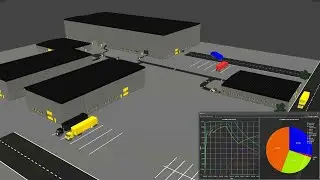
KUKA.Sim AddOn Part 1 Programming
In this video you will learn about KUKA robot language, the Robot Controller Simulation and expert programming in Visual Components Premium with the KUKA.Sim Add On. Configure your Tool_Data, Base_Data and signals. Calculate cycle times, analyse and optimize your program with the Tracing feature and data on energy consumption. And finally get guidance on exporting projects to KUKA.WorkVisual.
This lesson unlocks KUKA’s full potential, offering realistic cycle times, precise path planning, and KRL code without post-processors.
Related links:
KUKA AG - KUKA Load: Load data analysis for industrial robots | https://www.kuka.com/en-in/products/r...
KUKA.WorkVisual | https://www.kuka.com/en-us/products/r...
This video is also available from the Visual Components Academy:
https://academy.visualcomponents.com/...
Chapters:
00:00 Introduction
01:09 Activate the KUKA.Sim AddOn
01:35 Select the right KSS Version
02:50 Build up the layout with a KUKA Robot
04:52 Component properties of the KUKA robot
08:24 Introduction to the RCS Module
11:07 Extended Program View and Machine Data
12:18 Base and Tool Data setting
15:48 Basic Programming PTP, LIN and CIRC
18:31 Cycle time calculation
20:04 Optimize the cycle time
21:18 Intro in the predefined Signals
23:24 Set Output signal OUT[]=True
26:46 Understand the cycle time Wait For
28:11 Load data and cycle time
29:54 Add a Trace with OUT[17]
30:51 Check the Swept Volume with OUT[81]
31:38 Add a relative Movement
33:55 Add a calculated Point
35:09 Add a Base shift
38:41 Collect trace data
41:16 Optimize your program with traces
43:53 Analyse power and energy consumption
44:54 Optimize your energy consumption
46:37 Export your project to KUKA.WorkVisual
Software Version: 4.8.0 or higher.
Product: Premium or Premium OLP
http://www.visualcomponents.com
Auf dieser Seite können Sie das Online-Video KUKA.Sim AddOn Part 1 Programming mit der Dauer stunde minuten sekunde in guter Qualität ansehen, das der Benutzer Visual Components 29 Mai 2024 hochgeladen hat, den Link mit Freunden und Bekannten teilen, dieses Video wurde auf Youtube bereits 6,367 Mal angesehen und es wurde von 49 den Zuschauern gefallen. Viel Spaß beim Betrachtenden Zuschauern gefallen!