MIB STD2 Toolbox installation on Technisat/Preh main unit
Installing MIB STD2 Toolbox in VW Discover Media infotainment system to access to filesystem, customization options, tweaks and patches. Installation is fairly easy, does not require
🛠 MIB STD2 Toolbox v0.7 Features
Dumping system files to SD card, including skins, sounds, SWAP, SWDL, FEC exceptions list, and more.
Changing 5F adaptation values from the menu
Removing CID lock for navigation SD card.
Removing MirrorLink lock.
Enabling manual Software Download (SWDL).
Enabling #MIB2 telnet network connection.
⚠️ 🛑 Warning! 🛑 ⚠️
Read the documentation first. If you don't understand it, please don't try to install it.
This software is experimental.
This software can potentially damage your main unit.
This software still under development.
Installation of the #Toolbox will cause fault codes 1555 and 1556.
You are doing everything at your own risk.
ℹ️ Requirements
Hardware: MIB2 #STD Technisat/Preh main units with GPS navigation. Delphi and Harman is not supported. Non-navigation devices are not supported with this installation method.
Software: 01xx, 02xx, 03xx, or 04xx firmware. 05xx is not supported.
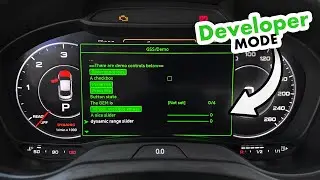
Developer mode needs to be enabled, to enter Green Engineering Menu (GEM). You can do it with VCDS, OBDeleven, or any other VAG diagnostic tool.
❓ How to install
1. Format an SD card with FAT32 file system.
2. Download latest release of the toolbox (link below).
3. Extract the ZIP package to the SD card.
4. If your unit have GEM in version 3.4 or 3.5, replace the \cpu folder with the one from \toolbox\gem\cpu.
5. Turn on your main unit, remove all SD cards from it.
6. Insert your SD card in slot 1.
7. Press and hold MENU button for 3 seconds to enter "Service Mode". Select "Software update/versions", "Update", "SD card", "MIBStd2_Online_Approval (V432-1)", "Start", "Next".
8. Wait patiently. Main unit will reboot 2 times before it will show you list of updated modules.
9. Press back arrow in top-right corner. Main unit will reboot for the third time.
10. Press and hold MENU button for 10 seconds to enter "Testmode menue", select "Green Engineering Menu", "mib2std_toolbox", and have fun!
🔗 GitHub Repository: https://github.com/olli991/mib-std2-p...
🔗 Release 0.7 used in this video: https://github.com/olli991/mib-std2-p...
📺 Enabling developer mode with OBDeleven: • VW Discover Media MIB2 Developer Mode...
🔗 MIB2 Toolbox for MIB2 High Harman: https://github.com/jilleb/mib2-toolbox
0:00 MIB STD2 Toolbox
0:24 Turn on the infotainment system
0:40 Insert SD card
0:49 Start the installation
1:13 First reboot
1:56 Second reboot
2:37 Installation summary
2:52 Third reboot
3:35 Accessing the toolbox
✅ http://mr-fix.info/
✅ Facebook: /
✅ Instagram: /
✅ Pinterest: /
Auf dieser Seite können Sie das Online-Video MIB STD2 Toolbox installation on Technisat/Preh main unit mit der Dauer stunde minuten sekunde in guter Qualität ansehen, das der Benutzer mr-fix 05 Juni 2021 hochgeladen hat, den Link mit Freunden und Bekannten teilen, dieses Video wurde auf Youtube bereits 201,276 Mal angesehen und es wurde von 1.6 tausend den Zuschauern gefallen. Viel Spaß beim Betrachtenden Zuschauern gefallen!