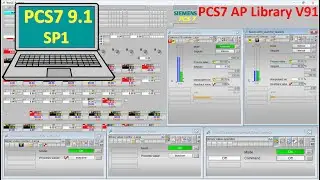
Simatic manager connect with WinCC Explorer faceplates control | PLC S7-300
Hello everyone!
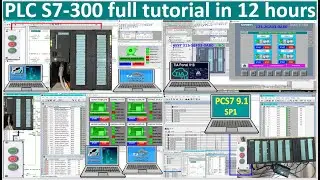
Today I would like to show and share about Simatic manager connect with WinCC Explorer faceplates control | PLC S7-300.
If everyone have any questions please kindly drop comment under my videos or contact me by:
/ plc.scada.7564
Link below is related to PLCs programming:
Motor control STAR-DLETA by using PLC S7-300 & SIMATIC Manager software| PLC training| PLC tutorial
• Motor control STAR-DLETA by using PLC...
Motor control STAR-DLETA by using PLC S7-300 and SIMATIC Manager software| PLC training|PLC tutorial
• Motor control STAR-DLETA by using PLC...
PLC S7-1200 linked data with PLC S7-300 via Modbus TCP IP communication| PLC Siemens tutorials
• PLC S7-1200 linked data with PLC S7-3...
PLC S7-300 connect with WinCC Explorer V8 via MPI PC Adapter cable|SIMATIC Manager V5.7 HF4 tutorial
• PLC S7-300 connect with WinCC Explore...
TIA Portal V18 full tutorial in 12hours about animation, pop up and faceplates unified
• TIA Portal V18 full tutorial in 12hou...
PLC S7-1500 TIA Portal V18 web configure tags| TIA Portal V18 tutorial| SCADA configuration step
• PLC S7-1500 TIA Portal V18 web config...
PLC S7-1500 connect with PLC S7-300 via Modbus TCP communication Part-2
• PLC S7-1500 connect with PLC S7-300 v...
PLC S7-1500 connect with PLC S7-300 via Modbus TCP communication Part-1
• PLC S7-1500 connect with PLC S7-300 v...
TIA Portal V18 tutorial create program motor control logic by using single push button (NO) Part7
• TIA Portal V18 tutorial create progra...
WinCC Explorer V8 connect with PLC S7-1500 via Modbus communication
• WinCC Explorer V8 connect with PLC S7...
TIA Portal V18 tutorial create program motor control logic by using single push button (NO) Part6
• TIA Portal V18 tutorial create progra...
How to simulation Electrical diagram 12hours start Motor1 then 12hours start Motor2 (3D Drawing)
• How to simulation Electrical diagram ...
PLC S7-1500 (Slave) link data with PLC S7-300 (Master) via Profibus-DP communication
• PLC S7-1500 (Slave) link data with PL...
How to simulation Electrical diagram of ATS control and safety interlock (3D drawing and simulation)
• How to simulation Electrical diagram ...
PLC S7-1500 (Master) link data with PLC S7-300 (Slave) via Profibus-DP communication
• PLC S7-1500 (Master) link data with P...
How to simulation Electrical diagram of 3 motors running step by step by using delay timer (3D Draw)
• How to simulation Electrical diagram ...
TIA Portal V18| SIMATIC Manager| Mix PLCs S7-1500, S7-1200, S7-300 in 11 hours
• TIA Portal V18| SIMATIC Manager| Mix ...
TIA Portal V18 tutorial create program motor control logic by using single push button (NO) Part5
• TIA Portal V18 tutorial create progra...
How to simulation electrical control diagram| Forward/Reverse after push stop button 3D drawing
• How to simulation electrical control ...
TIA Portal V17 tutorial create program motor control logic by using single push button (NO) Part4
• TIA Portal V18 tutorial create progra...
TIA Portal V18| WinCC Advanced|PLC S7 1500 WinCC Advanced popup up screen part-2
• TIA Portal V18| WinCC Advanced|PLC S...
PLC LSIS full tutorial in 8 hours| PLC LS Electric training| PLC LSIS simulation| PLC LS hardware
• PLC LSIS full tutorial in 8 hours| PL...
TIA Portal V18| PLC S7-1200| Single push button programming for control contactor third method
• TIA Portal V18| PLC S7-1200| Single p...
TIA Portal V18| PLC S7-1200| Single push button programming for control contactor second method
• TIA Portal V18| PLC S7-1200| Single p...
Proficy Cimplicity HMI Workbench connect with PLC LS| GE PLC training| Proficy Cimplicity tutorial
• Proficy Cimplicity HMI Workbench con...
TIA Portal V18| PLC S7-1200| Single push button programming for control contactor first method
• TIA Portal V18| PLC S7-1200| Single p...
TIA Portal V18| WinCC Advanced|PLC S7 1500 WinCC Advanced popup up screen part-1
• TIA Portal V18| WinCC Advanced|PLC S...
WinCC Explorer V8.0 connect with PLC LS via Modbus TCP IP
• WinCC Explorer V8.0 connect with PLC ...
TIA Portal V18 WinCC Unified moveable faceplate tutorial| TIA Portal V18 Unified| PLC S7-1200 part-2
• TIA Portal V18 WinCC Unified moveable...
TIA Portal V18 WinCC Unified moveable faceplate tutorial| TIA Portal V18 Unified| PLC S7-1500
• TIA Portal V18 WinCC Unified moveable...
TIA Portal V18 WinCC Unified moveable faceplate tutorial| TIA Portal V18 Unified| PLC S7-1200 part-1
• TIA Portal V18 WinCC Unified moveable...
TIA Portal V18 WinCC Unified configuration moveable faceplate highlight| TIA Portal V18 Unified
• TIA Portal V18 WinCC Unified configur...
TIA Portal V18 WinCC Advanced connect with PLC LS via Modbus TCP IP communication| Modbus training
• TIA Portal V18 WinCC Advanced connect...
TIA Portal V18| WinCC Unified V18 connect with PLC S7-1200| Popup screen configuration and control
• TIA Portal V18| WinCC Unified V18 con...
TIA Portal V18| WinCC Unified V18 connect with PLC S7-1200| Popup screen configuration and control
• TIA Portal V18| WinCC Unified V18 con...
XG5000 software basic programming| PLC LS XGB XBC series Modbus communication tutorial Part-2
• XG5000 software basic programming| PL...
WinCC Unified V18 of TIA Portal V18 simulation with PLC S7-1500/1200/300| TIA Portal V18 training
• WinCC Unified V18 of TIA Portal V18 s...
I'm also sorry if I have mistake in this video.
Please like share and subscribe my video also to get new notification and new video.
Good luck for everyone!
Thanks!
Auf dieser Seite können Sie das Online-Video Simatic manager connect with WinCC Explorer faceplates control | PLC S7-300 mit der Dauer stunde minuten sekunde in guter Qualität ansehen, das der Benutzer General Technology Knowledge 30 August 2023 hochgeladen hat, den Link mit Freunden und Bekannten teilen, dieses Video wurde auf Youtube bereits 715 Mal angesehen und es wurde von 22 den Zuschauern gefallen. Viel Spaß beim Betrachtenden Zuschauern gefallen!

![File Explorer Is Slow to Open in Windows 11/10 [FIXED]](https://image.4k-video.cc/id-video/jUDyiY4zR-M)