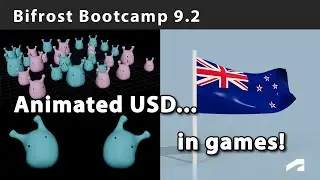
Bifrost Bootcamp 9.2 - USD for game animation
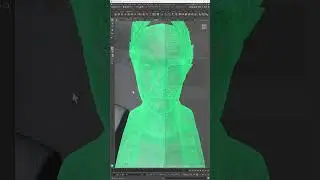
Jason shows how to use USD to import animated meshes into the Unreal Engine. Part of a 10-lesson workshop for aspiring technical artists. Expand this description for download links and more.
00:00 - Intro
00:07 - Animated USD and game engines
01:20 - Building the flag
01:30 - How loop_cache works
05:30 - Some ideas on tool creation for tech artists
08:50 - New Zealand represent!
09:15 - Vertex colors
11:25 - Rebuilding the animated export
11:40 - Define USD mesh
12:00 - Unique names
12:20 - Add to stage (visualise)
12:50 - Viewing switch (USD/BF)
14:40 - Setup USD hierarchy
16:10 - Material binding
17:30 - Setting up the materials switch
18:35 - Vertex color
19:20 - Hacking a default node for array input
23:30 - Hacking it again for correct workflow
25:10 - Texture/vertex color switch
26:45 - Checking it in Unreal
27:40 - Writing animated objects through USD
29:10 - Adding the port feedback system and logic
31:30 - set_stage_time_code
32:00 - Tidy up
36:00 - Use frame
37:10 - Set fps (set stage metadata)
38:20 - Check the USD file
42:00 - Recap
43:00 - Tool setup notes
Download the scenes, compounds, slides, lesson plans and other files to follow along or adapt for your own curriculum: https://areadownloads.autodesk.com/wd...
Auf dieser Seite können Sie das Online-Video Bifrost Bootcamp 9.2 - USD for game animation mit der Dauer stunde minuten sekunde in guter Qualität ansehen, das der Benutzer Maya Learning Channel 17 Oktober 2023 hochgeladen hat, den Link mit Freunden und Bekannten teilen, dieses Video wurde auf Youtube bereits 967 Mal angesehen und es wurde von 18 den Zuschauern gefallen. Viel Spaß beim Betrachtenden Zuschauern gefallen!