Linux Crash Course - The ps Command
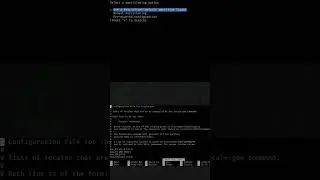
The ps command is useful for taking a look at the processes that are running on your Linux system. In this video, I'll show you the basics of the ps command, and some variations you can use to show the output in different ways.
LEARN LINUX TV - YOUR HOME FOR LINUX-RELATED FUN AND LEARNING!
🎓 BRAND NEW UDEMY COURSES AVAILABLE!
Check out my new courses on Udemy and learn something new!
• Getting Started with Ansible ➜ https://learnlinux.link/ansible
• LPI Linux Essentials Complete Workshop ➜ https://learnlinux.link/linux-essentials
Support Linux Learning!
• Grab some Linux swag from the official Merch Shop ➜ https://merch.learnlinux.tv
• Become a Channel Member here on YouTube ➜ https://learnlinux.link/member
• Become a Patron and gain access to exclusive perks ➜ https://learnlinux.link/patron
• 5% discount on LPI exam vouchers ➜ https://learnlinux.link/lpi-voucher
• Check out my latest book, Mastering Ubuntu Server 4th Edition ➜ https://ubuntuserverbook.com
• Grab an awesome Pi-powered KVM ➜ https://learnlinux.link/tinypilot
• Jay's Gear ➜ https://learnlinux.link/amazon
Note: Royalties and/or commission is earned from each of the above links
⏰ TIME CODES
00:00 - Intro
00:45 - ps command (with no options)
03:57 - ps command argument types
06:16 - Viewing processes from all terminals
08:23 - Process relationship
11:40 - ps aux*🎓 FULL LINUX COURSES FROM LEARN LINUX TV*
• Linux Crash Course ➜ https://linux.video/cc
• Learn tmux ➜ https://linux.video/tmux
• Learn vim ➜ https://linux.video/vim
• Bash Scripting Series ➜ https://linux.video/bash
• Proxmox VE ➜ https://linux.video/pve
• Getting Started with Ansible (Udemy) ➜ https://learnlinux.link/ansible
• LPI Linux Essentials Workshop (Udemy) ➜ https://learnlinux.link/linux-essentials
🌐 LEARN LINUX TV ON THE WEB
• Main site ➜ https://www.learnlinux.tv
• Community ➜ https://community.learnlinux.tv
• Official Github Account ➜ https://github.com/LearnLinuxTV
• Enterprise Linux Security Podcast ➜ https://enterpriselinuxsecurity.show
• The Homelab Show Podcast ➜ https://thehomelab.show
• Jay on Udemy ➜ https://www.udemy.com/user/jay-lacroix-3
• Jay on Twitter ➜ https://x.com/JayTheLinuxGuy
• Content Ethics ➜ https://www.learnlinux.tv/content-ethics
• Request Assistance ➜ https://www.learnlinux.tv/request-ass...
⚠️ DISCLAIMER
Learn Linux TV provides technical content that will hopefully be helpful to you and teach you something new. However, this content is provided without any warranty (expressed or implied). Learn Linux TV is not responsible for any damages that may arise from any use of this content. Always make sure you have written permission before working with any infrastructure and that you are compliant with all company rules, change control procedures, and local laws.
#Linux #Tutorial #CLI
Auf dieser Seite können Sie das Online-Video Linux Crash Course - The ps Command mit der Dauer stunde minuten sekunde in guter Qualität ansehen, das der Benutzer Learn Linux TV 01 Dezember 2021 hochgeladen hat, den Link mit Freunden und Bekannten teilen, dieses Video wurde auf Youtube bereits 49,123 Mal angesehen und es wurde von 1.9 tausend den Zuschauern gefallen. Viel Spaß beim Betrachtenden Zuschauern gefallen!