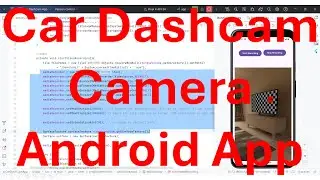
How to make Car Dashcam (Dashboard Camera) Android App? - complete source code
In this video it shows the steps to create your own Car DashCam Android App. DashCam, also called as Dashboard Camera, can be used to record video and audio from the camera of your mobile phone while driving the car.
I hope you like this video. For any questions, suggestions or appreciation please contact us at: https://programmerworld.co/contact/ or email at: [email protected] / [email protected]
Complete source code and other details/ steps of this video are posted in the below link:
https://programmerworld.co/android/ho...
However, the main Java code is copied below also for reference:
package com.programmerworld.cardashcamapp;
public class MainActivity extends AppCompatActivity {
private TextureView textureView;
private MediaRecorder mediaRecorder;
private StorageManager storageManager;
private StorageVolume storageVolume;
@Override
protected void onCreate(Bundle savedInstanceState) {
super.onCreate(savedInstanceState);
EdgeToEdge.enable(this);
setContentView(R.layout.activity_main);
ViewCompat.setOnApplyWindowInsetsListener(findViewById(R.id.main), (v, insets) - {
Insets systemBars = insets.getInsets(WindowInsetsCompat.Type.systemBars());
v.setPadding(systemBars.left, systemBars.top, systemBars.right, systemBars.bottom);
ActivityCompat.requestPermissions(this,
new String[]{READ_MEDIA_IMAGES,
READ_MEDIA_VISUAL_USER_SELECTED,
READ_MEDIA_VIDEO,
READ_MEDIA_AUDIO,
RECORD_AUDIO,
CAMERA},
PackageManager.PERMISSION_GRANTED);
textureView = findViewById(R.id.textureView);
textureView.setRotation(90);// to change to portrait form
storageManager = (StorageManager) getSystemService(STORAGE_SERVICE);
storageVolume = storageManager.getStorageVolumes().get(0); // 0 for internal storage
return insets;
});
}
private void startVideoRecording(){
File fileVideo = new File(Objects.requireNonNull(storageVolume.getDirectory()).getPath()
"/Download/" + System.currentTimeMillis() + ".mp4");
mediaRecorder = new MediaRecorder(this);
mediaRecorder.setVideoSource(MediaRecorder.VideoSource.DEFAULT);
mediaRecorder.setAudioSource(MediaRecorder.AudioSource.MIC);
mediaRecorder.setOutputFormat(MediaRecorder.OutputFormat.DEFAULT);
mediaRecorder.setVideoEncoder(MediaRecorder.VideoEncoder.DEFAULT);
mediaRecorder.setAudioEncoder(MediaRecorder.AudioEncoder.DEFAULT);
mediaRecorder.setOutputFile(fileVideo.getPath());
mediaRecorder.setMaxDuration(20000); // 20 seconds for demonstration. But can be used for larger duration such as 10 mins also.
mediaRecorder.setMaxFileSize(1000000); // Again the file size can be larger. 1MB considered in this demo
mediaRecorder.setOrientationHint(90); // to change to portrait form
SurfaceTexture surfaceTexture = textureView.getSurfaceTexture();
Surface surface = new Surface(surfaceTexture);
mediaRecorder.setPreviewDisplay(surface);
try {
mediaRecorder.prepare();
} catch (IOException e) {
throw new RuntimeException(e);
}
mediaRecorder.start();
mediaRecorder.setOnInfoListener(new MediaRecorder.OnInfoListener() {
@Override
public void onInfo(MediaRecorder mr, int what, int extra) {
if (what == MediaRecorder.MEDIA_RECORDER_INFO_MAX_DURATION_REACHED){
mediaRecorder.stop();
mediaRecorder.release();
startVideoRecording();
}
}
});
}
public void buttonStartRecording(View view){
startVideoRecording();
}
public void buttonStopRecording(View view){
mediaRecorder.stop();
mediaRecorder.release();
}
}
--
Auf dieser Seite können Sie das Online-Video How to make Car Dashcam (Dashboard Camera) Android App? - complete source code mit der Dauer stunde minuten sekunde in guter Qualität ansehen, das der Benutzer Programmer World 28 April 2024 hochgeladen hat, den Link mit Freunden und Bekannten teilen, dieses Video wurde auf Youtube bereits 400 Mal angesehen und es wurde von 7 den Zuschauern gefallen. Viel Spaß beim Betrachtenden Zuschauern gefallen!