Auto-Trace + Scribble in After Effects
Adobe After Effects CC 2023: Auto-Trace + Scribble Hand-Drawn Animation
This tutorial will show you how to Auto-Trace a Shape Layer and add the Scribble Effect to create a hand-drawn style animation in Adobe After Effects CC 2023.
Kraft Paper Animation:
https://elements.envato.com/kraft-pap...
Effects Used:
1. Auto-Trace (Layer Menu)
2. Scribble (Effects & Presets)
Chapters:
00:00 Intro: About This Tutorial
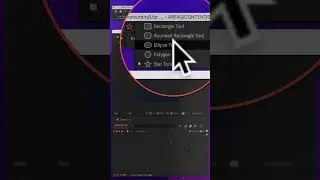
00:15 Create A Shape (Ellipse)
00:29 Align Panel
00:39 Add Auto-Trace To Layer
00:59 Add Scribble Effect (Effects & Presets)
01:26 Effect Controls: Customize Auto-Trace
01:54 Effect Controls: Stroke Options
02:26 Animate Scribble (End Property)
02:52 Keyframe Assistant: Time-Reverse Keyframes
03:07 Add Turbulent Displace
03:21 Add Wiggle Expression
———————
To try or buy Adobe After Effects CC 2023:
https://mikemurphy.co/adobe (affiliate link)
———————
How To Add Auto-Trace in Adobe After Effects CC 2023:
1. Create a new Composition (Cmd/Ctrl + N)
2. Add Shape Layer (Ellipse with 5px Stroke, No Fill)
3. Select Shape Layer
4. Go to Layer Menu at the top
5. Select ’Auto-Trace’
6. Make Sure the ‘Work Area’ is ticked
7. Click ‘OK’
How To Add Scribble Effect to Auto-Trace Layer:
1. Select ‘Auto-Trace’ layer
2. Go to ‘Effects & Presets’ panel
3. Search for ‘Scribble’
4. Select and drag onto Auto-trace Layer.
5. Go to ‘Effect Controls’ Panel
6. Change Color to Orange
7. Stroke Width 2.0
8. Curviness: 20
9. Curviness Variation: 32%
10. Spacing: 25
11. Spacing Variation: 1
12. Path Overlap -12
13. Path Overlap Variation: 66
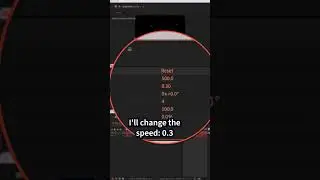
14. Start: 20%
15. End: 0….100%
16. Wiggle Type: Jumpy
17. Wiggles Per Second: 2
18. Random Seed: 1
19. Composite: On Transparent
How To Add Turbulent Displace to Original Circle Layer:
1. Select Original Shape Layer (Ellipse with 5px Stroke)
2. Go to ‘Effects & Presets’ panel
3. Search for Turbulent Displace
4. Click and drag onto Circle layer
5. Go to ‘Effect Controls’ Panel
6. Hold Option/Alt and click on ‘Evolution’ stopwatch
7. Enter wiggle(5,10)
8. Click in empty space
9. Tap Spacebar to preview animation
---------------------------------------------------------------
➜Amazon Influencer Store: https://www.amazon.com/shop/mikemurphyco
➜Gear & Resources I Use:: https://mikemurphy.co/resources
➜ Get Adobe Creative Cloud: https://mikemurphy.co/adobe
➜Screencast Software:
Screenflow: https://mikemurphy.co/screenflow
➜Livestream Software:
Ecamm Live: https://mikemurphy.co/ecammlive
➜Online Courses Software:
Teachable: https://mikemurphy.co/teachable
➜Nord VPN Online Security (61% off!)
Get NordVPN: https://nordvpn.com/mikemurphy
Use Coupon Code: mikemurphy
---------------------------------------------------------------
➜ VISIT MY WEBSITE:
- https://mikemurphy.co
➜ SUBSCRIBE TO PODCAST
-https://mikemurphy.co/mmu
➜ SOCIAL MEDIA:
- Instagram: / mikeunplugged
- Facebook: https://mikemurphy.co/facebook
- Twitter: / mikeunplugged
- YouTube: https://mikemurphy.co/youtube
- Medium: / follow
Amazon Associates Disclosure:
Mike Murphy is a participant in the Amazon Services LLC Associates Program, an affiliate advertising program designed to provide a means for sites to earn advertising fees by advertising and linking to Amazon.com
On this page of the site you can watch the video online Auto-Trace + Scribble in After Effects with a duration of hours minute second in good quality, which was uploaded by the user Mike Murphy Co 07 March 2023, share the link with friends and acquaintances, this video has already been watched 6,706 times on youtube and it was liked by 91 viewers. Enjoy your viewing!