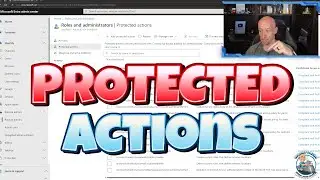
Using Winget Package Manager in Windows
A dive into Winget as the ultimate way to install your applications on Windows.
🔎 Looking for content on a particular topic? Search the channel. If I have something it will be there!
▬▬▬▬▬▬ C H A P T E R S ⏰ ▬▬▬▬▬▬
00:00 - Introduction
01:53 - Winget introduction
03:59 - Basic information
05:11 - Package sources
10:32 - Features and configurations
11:51 - List installed apps
14:28 - Searching
18:46 - Install
20:21 - Upgrade
26:01 - Uninstall
26:53 - Export and import
28:39 - Close
▬▬▬▬▬▬ Want to learn more? 🚀 ▬▬▬▬▬▬
📖 Recommended Learning Path for Azure
🔗 https://learn.onboardtoazure.com
🥇 Certification Content Repository
🔗 https://github.com/johnthebrit/Certif...
📅 Weekly Azure Update
🔗 • Azure Infrastructure Updates
☁ Azure Master Class
🔗 • Microsoft Azure Master Class v2
⚙ DevOps Master Class
🔗 • DevOps Master Class
💻 PowerShell Master Class
🔗 • PowerShell Master Class
🎓 Certification Cram Videos
🔗 • Microsoft Certification Exam Prep Videos
🧠 Mentoring Content
🔗 • Virtual Mentoring
❔ Questions? Maybe I answered it in my FAQ
🔗 https://savilltech.com/faq.html
👕 Cure Childhood Cancer Charity T-Shirt Channel Store
🔗 https://johns-t-shirts-store.creator-...
👂 Enable the subtitles and from there you can translate to your native language via the auto-translate feature in settings! • YouTube Captions and Auto Translate Q... for a demo of using this feature.
SUBSCRIBE ✅ / @ntfaqguy
#microsoft #windows #johnsavillstechnicaltraining
On this page of the site you can watch the video online Using Winget Package Manager in Windows with a duration of hours minute second in good quality, which was uploaded by the user John Savill's Technical Training 22 May 2023, share the link with friends and acquaintances, this video has already been watched 20,989 times on youtube and it was liked by 580 viewers. Enjoy your viewing!