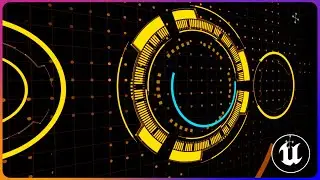
Creating Dynamic Light Patterns with Animated Gobos in UE5
In this in-depth tutorial, motion graphics maestro Jonathan Winbush (yes, the same genius behind Iron Man and Lego Batman) will show you how to create animated gobos in Unreal Engine 5
Big thank you to @revocolor for this tip https://x.com/revocolor
Other Tutorials You Might Like:
Realistic Lighting in Unreal Engine 5 with Gobos • Powerful Technique to Get Realistic Lighti...
Official Android Support for Unreal Engine Virtual Camera • Official Android Support for Unreal Engine...
Unreal Engine 5 Camera Recording with Xbox Controller • Unreal Engine 5 Camera Recording with Xbox...
What I Travel With When Working On the Road • What I Travel With When Working On the Road
🚀 Join the Creative Journey! / @jonathanwinbush
🎓 Master Unreal Engine for 3D Artists Dive into my School of Motion course: https://som.bz/3N9aU5L
🆓 Free Unreal Engine 5 Course2 Begin your adventure here: • Unreal Engine 5 In 5 Days || Series for Be...
☕ Support My Work Enjoying the content? Buy me a coffee: https://ko-fi.com/winbush
🛍️ WINBUSH DEALS FOR YOU Check out my affiliate links for special deals!
🔗 Pixel Lab Store: https://tinyurl.com/yaazxzog
🔗 My Amazon Storefront: https://www.amazon.com/shop/winbush
📱 FOLLOW ME ON SOCIAL MEDIA
Instagram: / jonathanwinbush
Twitter: / jonathanwinbush
Twitch: / jonathanwinbush
ArtStation: https://www.artstation.com/winbush
My Unboxing Channel: @UnboxingWinbush
0:00 What up what up
0:50 IMG Media Source
1:40 Media Player
2:32 Light Function Material
3:26 Add Spotlight with Material
4:37 Animate Gobo with Sequencer
On this page of the site you can watch the video online Creating Dynamic Light Patterns with Animated Gobos in UE5 with a duration of hours minute second in good quality, which was uploaded by the user WINBUSH 30 May 2024, share the link with friends and acquaintances, this video has already been watched 9,695 times on youtube and it was liked by 389 viewers. Enjoy your viewing!