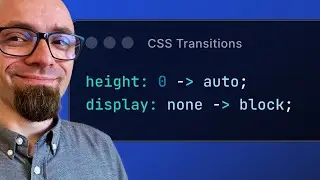
Transition to "height: auto;" & "display: none;" Using Pure CSS
Find out how to easily transition from “height: 0;” to “height: auto;” and “display: none;” to “display: block;” without any hacks, tricks, or JavaScript, using only new CSS features: calc-size() function, transition-behavior property and @starting-style at-rule.
UPDATE: The calc-size() function no longer supports a single argument; it works only as a two-argument form. The first argument is the basis, and the second argument is the calculation, where the passed basis argument is available as the "size" keyword. So all examples in the video should be "calc-size(auto, size)" instead of "calc-size(auto)".
🔗 Links
Demo: https://codepen.io/ZoranJambor/pen/GR...
CSS Stickers: https://stickers.css-weekly.com
Guide to Logical Properties: • In-Depth Guide to CSS Logical Properties Experimental Web Platform features: • How to enable experimental CSS & JS f...
📖 Chapters
00:00 About CSS transitions & demo setup
01:26 How to transition to height: auto;
04:06 How to transition from display: none
04:43 How transition-behavior CSS property works
06:32 How @starting-style at-rule works
08:34 Browser support for transition-behavior & @starting-style
Subscribe to CSS Weekly Newsletter:
💌 https://css-weekly.com/
Help support my channel
🪧 Buy a CSS sticker pack: https://stickers.css-weekly.com
👨🎓 Get a course: https://masteringlinting.com/
💖 Jouin us on Patreon: / cssweekly
Keep up-to-date with CSS Weekly:
🐦 Twitter: / @cssweekly
🎶 TikTok: / cssweekly
🎇 Instagram: / cssweekly
📘 Facebook: / cssweekly
Keep up to date with what I'm up to:
👨💼 Blog: https://zoranjambor.com
💼 LinkedIn: / zoranjambor
- Zoran Jambor
#css #csstips
On this page of the site you can watch the video online Transition to "height: auto;" & "display: none;" Using Pure CSS with a duration of hours minute second in good quality, which was uploaded by the user CSS Weekly 31 May 2024, share the link with friends and acquaintances, this video has already been watched 11,822 times on youtube and it was liked by 612 viewers. Enjoy your viewing!