Set up a Full Network using OPNsense (Part 3: Cisco Switch)
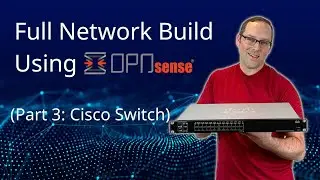
After configuring OPNsense in the Part 2 video, it is time to configure the network switch! In this video, I will be using a Cisco Small Business switch provided to me by Jason's Lab (@JasonsLabVideos).
The LAGG and VLAN configuration must be completed on the managed switch to coincide with the OPNsense configuration. Once the switch configuration is complete, I will do a simple demonstration to determine proper configuration.
If you would like to see a written version of this video series, please visit my website: https://homenetworkguy.com/how-to/set...
0:00 Intro
0:53 Connect to switch
2:21 Manually set PC IP address
3:46 Switch interface configuration
6:09 LAGG configuration
7:26 VLAN configuration
15:52 Connect OPNsense and PCs to switch
18:46 Setting PC to automatic DHCP
19:22 Check if PCs are assigned the proper IPs
21:56 Setting up a firewall rule to allow access
24:58 Testing SSH connection between two PCs
EP12
On this page of the site you can watch the video online Set up a Full Network using OPNsense (Part 3: Cisco Switch) with a duration of hours minute second in good quality, which was uploaded by the user Home Network Guy 07 June 2023, share the link with friends and acquaintances, this video has already been watched 14,992 times on youtube and it was liked by 233 viewers. Enjoy your viewing!