Blender Texture Paint Quick Start Guide
How to Use Texture Paint in Blender
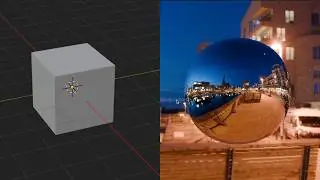
In this Blender tutorial, I will show you how to use texture paint on a simple object like a cube. Texture painting is a powerful tool that can be used to add realistic textures to your models.
We will start by creating a new cube in Blender. Then, we will add a texture to the cube using the Texture Paint tools. Finally, we will adjust the settings of the texture to make it look the way we want.
By the end of this tutorial, you will be able to use texture paint to add realistic textures to your models.
What You Will Learn
* How to add a texture to a cube in Blender
* How to use the Texture Paint tools
* How to adjust the settings of a texture in Blender
What You Will Need
* Blender
* A computer with a graphics card
Instructions
1. Open Blender.
2. Create a new scene.
3. Add a cube to the scene by pressing `Shift`+`A` and selecting "Cube" from the menu.
4. Select the cube and go to the Properties Editor.
5. In the Textures panel, click the "New" button.
6. Select the "Image Texture" type.
7. Click the "Open" button and select an image file from your computer.
8. The texture will now be applied to the cube.
9. To adjust the settings of the texture, go to the Properties Editor and click on the "Texture Coordinate" node.
10. You can change the settings of the texture to make it look the way you want.
11. Once you are finished adjusting the settings of the texture, press `F12` to render the scene.
Tips
* Use a high-resolution image for your texture.
* Experiment with different textures to create different effects.
Conclusion
In this tutorial, you learned how to use texture paint to add realistic textures to your models. You can now use this technique to add textures to your own models.
I hope you found this tutorial helpful. Please let me know if you have any questions.
Become a member
/ @whatmakeart
👍 Support on Patreon
/ whatmakeart
Tip Jar to Support the Channel
https://paypal.me/pxqx?country.x=US&l...
www.venmo.com/JimmyKuehnle
Paypal: @pxqx
Venmo: @jimmykuehnle
🟥 Subscribe
https://www.youtube.com/
Links
🌐 What? Make Art Online
https://whatmakeart.com/
👕🎽Looking for What? Make Art merch?
https://teespring.com/stores/what-mak...
📷 What? Make Art on Instagram:
/ whatmakeart
🐦 What? Make Art on Twitter:
/ whatmakeart
My Work:
🌐 https://www.jimmykuehnle.com/
▶️Videos:
/ jimmykuehnle
#blender #blendertutorial #3dmodeling
On this page of the site you can watch the video online Blender Texture Paint Quick Start Guide with a duration of hours minute second in good quality, which was uploaded by the user What Make Art 26 April 2023, share the link with friends and acquaintances, this video has already been watched 5,652 times on youtube and it was liked by 115 viewers. Enjoy your viewing!