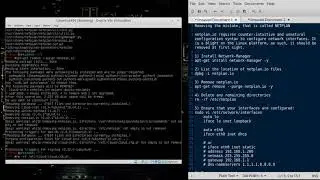
Tutorial: How to Install Ubuntu 20.04 on a RaspberryPi (Rpi) LONG Version
The Script:
http://public.cybernados.net/pub/prep...
Prepare a RPi 3 for production use running Ubuntu 20.04
This script will auto-configure a base installation of Ubuntu 20.04 on a Raspberry Pi Model 3x for production use.
These options are entirely based on my opinion, and may or may not be suitable for your particular needs.
There is no warranty of any kind.
What you need:
A RaspberryPi
An image of Ubuntu 20.04 for the RPi
An Internet connection
Part I: Download Ubuntu 20.04 and Image your pi
http://cdimage.ubuntu.com/ubuntu/rele...
or
http://cdimage.ubuntu.com/releases/20...
dd if=ubuntu-20.04-preinstalled-server-arm64+raspi.img of=/dev/YOURSDCARD status=progress
Part II: Start your pi (keyboard and screen required)
Login: ubuntu/ubuntu
sudo to root and type: bash -c "$(curl http://public.cybernados.net/pub/prep...)"
Thank you for dropping by!
Please join me:
/ paulwpoteete
/ paulwpoteete
/ paulwpoteete
#linux, #unix, #tutorial, #administration, #engineering, #beginner, #expert, #advanced, #intermediate, #training
On this page of the site you can watch the video online Tutorial: How to Install Ubuntu 20.04 on a RaspberryPi (Rpi) LONG Version with a duration of hours minute second in good quality, which was uploaded by the user The Expat Professor 10 May 2020, share the link with friends and acquaintances, this video has already been watched 235 times on youtube and it was liked by like viewers. Enjoy your viewing!