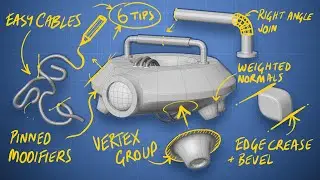
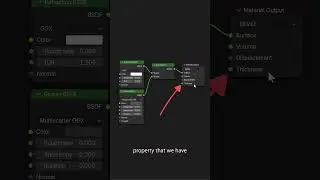
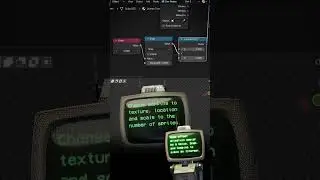
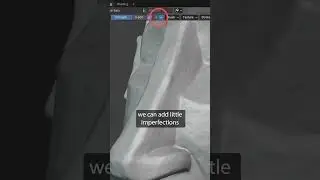
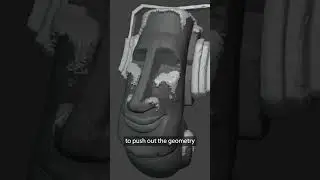
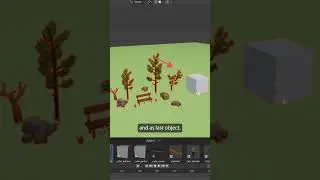
100+ Tips to Boost Modeling in Blender
In this video, Zach shares over 100 modeling related tips for Blender. Below you can find a list with all tips and the according timestamps.
PROJECT FILES
Sign up to our free CG Boost Resource Bundle (email required): https://academy.cgboost.com/p/resources
✔️ Project files for this and other tutorials
✔️ Blender 2.8 Beginner Course
✔️ Blender 2.8 Shortcut PDF and more
OTHER CHANNELS
@Josh Gambrell
@Gleb Alexandrov
@Aidy Burrows 3D
@Arrimus 3D
COURSES & EBOOKS
⇨ Blender 2.8 Launch Pad course: https://bit.ly/blender-launch-pad-100...
⇨ Hard Surface Modeling Course (affiliate): https://gumroad.com/a/864859251
⇨ 50 Modeling Issues From Hell Course (affiliate): https://gumroad.com/a/303592563
⇨ Blender Secrets E-book (affiliate): https://gumroad.com/a/436106355
CHAPTERS
User Interface
00:00:00 - Intro
00:05:07 - #01 Mode Pie Menu
00:06:11 - #02 Viewport Shading Pie Menu
00:06:34 - #03 Toggle X-Ray Shortcut
00:06:52 - #04 Inspect Surfaces Using MatCaps
00:07:44 - #05 Cavity
00:08:45 - #06 Random Colors
00:09:09 - #07 Frame Selected
00:10:05 - #08 Better 3D Viewport Navigation
00:12:53 - #09 Local View
00:14:27 - #10 Align View to Face Normal
00:15:17 - #11 Clipping Region
00:15:53 - #12 Quad View
00:17:42 - #13 Disable the Splash Screen
00:18:16 - #14 Disable Tooltips
00:19:00 - #15 Search Menu
00:19:40 - #16 Math Operators
00:20:22 - #17 Change Multiple Parameters at once
00:20:38 - #18 Resetting Parameters to Default
00:21:11 - #19 Make Fine Adjustments
00:21:42 - #20 Pin Panels
00:22:47 - #21 Reopen the Operator Panel
00:23:36 - #22 Quickly View Online Manual
Selection
00:24:42 - #23 Select More/Less
00:25:01 - #24 Select Linked
00:25:47 - #25 Invert Selection
00:26:15 - #26 Checker Deselect
00:26:40 - #27 Pick Shortest Path
00:27:39 - #28 Select Random
00:28:10 - #29 Select Similar
Mesh Modeling
00:29:22 - #30 Edit Multiple Objects at once
00:30:14 - #31 Connect Vertex Path
00:30:46 - #32 Edge / Vertex Slide
00:31:56 - #33 Merge by Distance
00:32:42 - #34 Auto Merge Vertices
00:33:37 - #35 Dissolve Selection
00:34:56 - #36 Extrude to Mouse Cursor
00:35:12 - #37 Mirroring in Edit Mode
00:36:12 - #38 Shear Tool
00:36:38 - #39 Move along Normals
00:37:23 - #40 Grid Fill
00:37:56 - #41 Bevel in Edit Mode
00:38:39 - #42 Solidify in Edit Mode
00:39:02 - #43 Boolean in Edit Mode
00:39:36 - #44 Close all Holes at once
00:40:27 - #45 Cut through Meshes (Knife Tool)
00:41:13 - #46 Knife Project
00:42:50 - #47 Bridge Edge Loops
00:43:21 - #48 Holes using Bridge Edge Loops
00:43:47 - #49 Customize Auto Smooth
00:45:13 - #50 Hide in Edit Mode
00:46:11 - #51 Inset Face Additional Shortcuts
00:46:56 - #52 Offset Edge Slide
00:48:01 - #53 Organic Modeling in Sculpt Mode
00:48:53 - #54 Separate by Loose Parts
00:49:59 - #55 Move using Active Selection
00:51:22 - #56 Rotate and Scale using Active Selection
00:52:26 - #57 Individual Origins
00:53:09 - #58 3D Cursor as Pivot Point
00:53:49 - #59 Repeat History
00:54:49 - #60 Bool Tool Add-on
00:56:32 - #61 Loop Tools Add-on
00:57:41 - #62 F2 Add-on
Transformation
00:58:16 - #63 Reset Transforms
00:58:35 - #64 Always show Transform Gizmos
00:59:26 - #65 Quickly adjust Origins
01:00:13 - #66 Transform Parents without affecting Children
01:00:54 - #67 Change Distance of Objects
01:01:28 - #68 Snap to Surface
01:02:30 - #69 Duplicate Linked
01:03:52 - #70 Copy Object Data
01:04:22 - #71 Temporary Link Data
01:05:27 - #72 Randomize Transform
01:06:16 - #73 Copy Transform Data to other Objects
Modifiers
01:07:24 - #74 Add Modifiers to Quick Favorites
01:08:42 - #75 Apply All Modifiers
01:09:22 - #76 Change multiple Modifiers at once
01:10:13 - #77 Copy Modifiers to other Objects
01:10:39 - #78 Bevel Modifier and Harden Normals
01:11:41 - #79 Custom Beveled Edges
01:13:26 - #80 Multiple Bevel Modifiers
01:16:09 - #81 Clean Hard-Surface Sub-D Modeling
01:17:57 - #82 Beveled Booleans (Weld Modifier)
01:20:05 - #83 Slice Cuts
01:22:39 - #84 Lazy Mirror Modifier
01:23:56 - #85 Quickly Change Mirroring Position
01:24:41 - #86 Quick Array Patterns
01:27:59 - #87 Circular Array Shapes
01:30:19 - #88 Circular Array Duplicates
01:32:06 - #89 Robot Tentacle Arms
01:35:52 - #90 Quad Sphere
01:37:52 - #91 Skin Modifier Modeling
01:39:10 - #92 Multires Modifier Deformations
01:40:08 - #93 Dynamic Mesh Projection
Organization
01:42:01 - #94 Quickly Rename and Batch Rename
01:43:04 - #95 Collections Galore
01:43:48 - #96 Move to Collection
01:44:33 - #97 Instancing Collections
01:46:00 - #98 Mirror Collections
01:46:58 - #99 Collection Instances with 3D Cursor Offset
01:48:27 - #100 Parent in Outliner
Bonus
01:49:27 - #101 Draw Cables
01:51:44 - #102 3D Sticky Notes
01:56:03 - Outro
MY SYSTEM
CPU: AMD Ryzen Threadripper 3970X
GPU: Nvidia Titan RTX
RAM: 128 GB
FOLLOW CG BOOST
⇨ Facebook: / cgboost
⇨ Twitter: / cgboost
⇨ Instagram: / cg_boost
#b3d #modeling #tips
On this page of the site you can watch the video online 100+ Tips to Boost Modeling in Blender with a duration of hours minute second in good quality, which was uploaded by the user CG Boost 16 July 2020, share the link with friends and acquaintances, this video has already been watched 1,237,624 times on youtube and it was liked by 44 thousand viewers. Enjoy your viewing!