How to use Reading Coach in Immersive Reader 📖
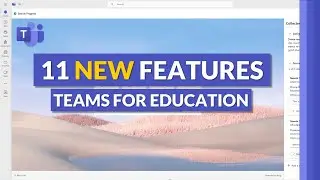
A tutorial video showing to use Reading Coach in Immersive Reader. Reading Coach also people to read out loud and getting personalized feedback and practice opportunities, as well as a short reading report showing reading speed, accuracy and the most mispronounced words. Reading Coach is supported in 116 languages and locales, full list in the links below. In this demo, I show it in Word for web, but Reading Coach has also rolled out in OneNote, Flip, Teams Assignments, and many more M365 apps coming soon. This is the same technology used by Reading Coach in Microsoft Teams.
✅ Reading Coach in Immersive Reader blog: https://aka.ms/ReadingProgressFeb23
✅ Support page: https://aka.ms/ReadingCoachSupport
✅ 116 Languages and Locales supported: https://aka.ms/ReadingCoachLanguages
✅ How to set your document language in Word https://aka.ms/SetDocumentLanguage
✅ Full Immersive Reader demo: • How to use the Immersive Reader - mak...
✅ Research Behind Immersive Reader: https://aka.ms/ImmersiveReaderResearch
🔔 Subscribe to my Channel: https://aka.ms/MikeYouTubeSubscribe
*Connect with me on Social:
Twitter: / mtholfsen
LinkedIn: / miketholfsen
Instagram: / mtholfsen
Pinterest: / miketholfsen
TikTok: / mtholfsen
Wakelet: https://www.wakelet.com/@mtholfsen
#Microsoft #reading #literacy
On this page of the site you can watch the video online How to use Reading Coach in Immersive Reader 📖 with a duration of hours minute second in good quality, which was uploaded by the user Mike Tholfsen 14 February 2023, share the link with friends and acquaintances, this video has already been watched 9,862 times on youtube and it was liked by 99 viewers. Enjoy your viewing!