After Effects Tutorial: Cinematic VFX with Generative Fill for Video
Learn how to create cinematic VFX scene, from footage I shot using my Osmo Pocket 3, using generative fill and VFX techniques in this After Effects tutorial.
Become a Member to get access to Exclusive Tuts:
/ @linestodesigns
🍿 WATCH NEXT:
1. Transforming Subjects with AI - • Generative Fill for Video: Transformi...
2. Elevate Your Videos with Generative Fill and Motion Tracking | Photoshop & After Effects Tutorial - • Elevate Your Videos with Generative F...
3. Fixing Microphone Audio Plosive Pops in Post | Adobe Audition Tutorial - • Fixing Microphone Audio Plosive Pops ...
___________________
📧 For Sponsors:
[email protected]
⬇️ Download My Media Kit
https://bit.ly/LTD_MediaKit
💻 Products I Use
💬 SubMagic - AI Subtitles for Your Videos
For 10% OFF USE Code "LINES10"
https://bit.ly/SubMagic_LTD
🎥 Mocha Pro (Motion Tracking)
https://bit.ly/LTD_MochaPro
15% discount Applied!
🎶 Audiio Pro - Exceptional Music for Creators
https://bit.ly/Audiio-Music
CODE "SAVE70" - 70% off 1 year of Audiio Pro!
___________________
MY SOCIALS:
🌍 My website - http://LinesToDesigns.Co
🐦 Twitter - / lines2designs
📸 Instagram - / linestodesigns
🎥 Facebook - / linestodesignsco
⌚️Timestamps:
00:00 Intro – Create a period piece with After Effects & Generative Fill
00:07 Filming the scene with Osmo Pocket
00:22 Preparing the scene in Photoshop
00:55 Using Generative Fill for realistic elements
01:50 Motion tracking and stabilization techniques
02:27 Adding fire to the fireplace
03:03 Rotoscoping for realistic compositing
03:40 Final color correction and edge lighting techniques
05:00 Animating with cameras and simulating dolly movements
05:12 Final cinematic result
#ADD HASHTAGS HERE
💬 SYNOPSIS
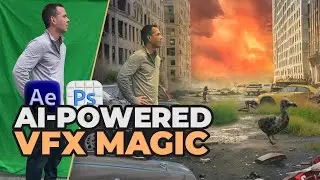
In this tutorial, I’ll walk you through the steps to create a cinematic time period piece using After Effects and Generative Fill. Follow along as I take footage from my Osmo Pocket of an old mansion, remove unwanted elements, and add new ones using Photoshop. Learn how to track motion, apply rotoscoping, and use color correction techniques to achieve a realistic and immersive final shot. I also demonstrate how to blend fire into a fireplace scene and simulate lighting changes for added realism. Perfect for filmmakers and VFX enthusiasts looking to master advanced compositing in After Effects.
On this page of the site you can watch the video online After Effects Tutorial: Cinematic VFX with Generative Fill for Video with a duration of hours minute second in good quality, which was uploaded by the user Lines To Designs 11 October 2024, share the link with friends and acquaintances, this video has already been watched 3,145 times on youtube and it was liked by 160 viewers. Enjoy your viewing!

![File Explorer Is Slow to Open in Windows 11/10 [FIXED]](https://image.4k-video.cc/id-video/jUDyiY4zR-M)