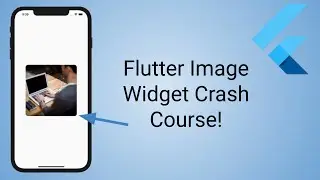
Flutter Image Widget Tutorial Crash Course (assets, network)
In this video we take a look at the Flutter Image widget. We look at how to add a network image as well as images from inside your project - called asset Images. We use ClipRRect to add a nice border radius and we take a look at various fits such as boxfit.fill and boxfit.cover. If you want to learn how to work with images in Flutter then this video is for you.
Flutter Image docs: https://flutter.dev/docs/development/...
Gear: https://benjamincarlson.io/gear
0:00 Introduction
0:20 Network Image
1:53 Width and Height Property
2:13 Fit Property
3:30 Semantic Label Property
3:45 LoadingBuilder Property
6:10 Rounded Edges - ClipRRect
7:03 Asset Image
9:20 Conclusion
Like my videos and want to support me? Consider sponsoring me on GitHub: https://github.com/sponsors/bjcarlson42
CONTACT: [email protected]
Connect with me:
Website: https://benjamincarlson.io
Twitter: / bjmncrlsn
Github: https://github.com/bjcarlson42
LinkedIn: / bjcarlson42
Medium: / benjamincarlson
Newsletter: https://buttondown.email/benjamincarlson
#flutter
On this page of the site you can watch the video online Flutter Image Widget Tutorial Crash Course (assets, network) with a duration of online in good quality, which was uploaded by the user Benjamin Carlson 28 March 2021, share the link with friends and acquaintances, this video has already been watched 8,896 times on youtube and it was liked by 174 viewers. Enjoy your viewing!