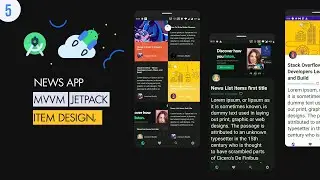
Community Blog App #9 : Retrieve List Post - Firebase Database | Android Studio Tutorial
hey guys,
in this part we are going to retrieve list post data from firebase database
Source Code : https://github.com/aws1994/BlogApp
---------------------------------------------
Video Walkthrough :
00:03 : demo
01:20 : create and design row post item layout
07:48 : create list post recyclerview adapter
13:13 : load post image and profile image using glide library
14:59 : configure Home fragment (this fragment host list post recyclerview)
18:48 : retrieve data from database (using FirebaseDatabase - DatabaseReference)
21:07 : setup Recyclerview list post Adapter
22:55 : set the home fragment as the default one (using supportFragmentManager)
---------------------------------------------
If you like my content and you want to support me directly you can donate using this link :
Paypal : https://www.paypal.me/awsrh
Thank you so much.
---------------------------------------------
Links & social media:
Source Code : https://github.com/aws1994/BlogApp
Google Plus : https://goo.gl/3nJik6
Instagram : https://goo.gl/tghvar
Github : https://goo.gl/QVn8np
My blog : https://goo.gl/1c5zut
On this page of the site you can watch the video online Community Blog App #9 : Retrieve List Post - Firebase Database | Android Studio Tutorial with a duration of hours minute second in good quality, which was uploaded by the user Aws Rh 22 February 2019, share the link with friends and acquaintances, this video has already been watched 18,536 times on youtube and it was liked by 187 viewers. Enjoy your viewing!