Level editing made easy with Automapping
NOTE: Since Tiled v1.9 was released, some of the details in this solution are no longer necessary (specifically, region layers can be omitted if you use the new workflow). as always, check your version and the relevant documentation for the most up to date information :)
Hey Pals!
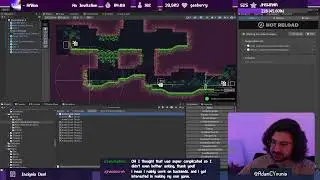
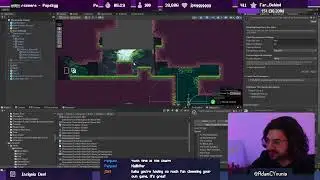
Back with a new video all about Automapping in Tiled, which is my level editor of choice. Automapping / Autotiling can make level design really easy and fun without sacrificing fidelity in your designs by automating the process of placing each tile once you've input your scaffold. I use it all the time for Insignia, and in this video I show you how to set it up yourself.
Get "Tiled" here: https://www.mapeditor.org/
Get the Unity importer plugin "SuperTiled2Unity" here: https://github.com/Seanba/SuperTiled2...
Chapters:
0:00 - Introduction
0:35 - About automapping with Tiled
3:58 - Why I don't use the native Unity solution
5:06 - Creating a simple tileset
11:20 - Setting up automapping in Tiled
15:32 - Creating rules
28:56 - Taking your maps further
33:25 - Conclusion & Outro
Music:
Helynt - Chillcraft [Gamechops.com]
----
This video features clips from my stream. Catch it live: Mon, Tues, Wednesday and Fri 1-6pm AEDT.
Twitch: / adamcyounis
Twitter: / adamcyounis
Discord: / discord
Become a Patron at / adamcyounis
Download assets and games from the stream at http://uppon-hill.itch.io/
Later, pals!
On this page of the site you can watch the video online Level editing made easy with Automapping with a duration of hours minute second in good quality, which was uploaded by the user AdamCYounis 11 December 2022, share the link with friends and acquaintances, this video has already been watched 302,313 times on youtube and it was liked by 11 thousand viewers. Enjoy your viewing!