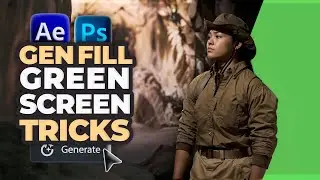
Transform Your Photos with Generative Fill Magic: A Photoshop Tutorial
Join me in this step-by-step tutorial where we use generative fill in Photoshop to turn a regular portrait into a charming Christmas card! Follow along as I create holiday-themed clothing and a festive background using this amazing tool.
🌟 For Exclusive content, Free AI Workflows & More
↳ LinesToDesigns.com
💬 For Sponsors
↳[email protected]
⌚️Timestamps:
00:00 Introduction to Generative fill for Holiday Card design
01:04 Customizing clothing in Photoshop
01:33 Creating a festive background
02:05 Final touches and completion
#PhotoshopTutorial #GenerativeFill #VideoEditing #AIinDesign #CreativeEffects #MotionTracking #VisualEffects #DigitalArtTutorial #AnimationTips #EditingTechniques #ArtificialIntelligence #YouTubeTutorials #CreativeProcess #VideoProduction
💬 Transcript
I just use generative fill to make a Christmas card out of a normal, ordinary portrait. Let me show you how I did it.
All right, so I'm in Photoshop. By the way, these are not my kids. This is a generated family.
Okay, First I'm going to select the mask and I'm going to select my boy shirt and his sleeve. Okay, then I'm gonna click on Generative Fill. And I'm going to type in red holiday Christmas sweater and that'll generate this weird looking sweater. I guess I'll go with this one.
Okay. So I'm going to select his collar, which looks a little funky, select that had generative fill and just hit generate. So you've got it. Cleans up a little bit. A little better. Still looks a little bulky. I'm just going to go to layer, merge visible to clean up my project.
I'm going to select my girl here. I'm going to add generative fill. And when I type in wearing holiday Christmas sweater generate. Okay, that looks pretty good. I'm going to go with that one. I'm just going to remove this weird design on the front, so I'm going to hit general info and just hit generate and that should clean it up.
Okay, now I'm just going to merge visible again, clean this up and I'm going to select my boy sweater again and try to fix this, make it a little better, have generative fill and I'm just going to type in holiday Christmas sweater. Good. It matches the sister. Perfect. All right, so I'm going to use that one. Let me just see if I can fix the sleeve here. Okay.
Now I'm going to actually select part of the background. I'm going to lose the structural stuff, but I'm just going to select part of the wall here and I'm going to type in large Christmas tree. Okay, I'll select the portion in the back here and I'll type in the holiday decorations and background. I don't need two trees.
All right, This one's nice. It's kind of like a wreath. There you have it, an ordinary picture turned into a Christmas card with generative fill.
📚Synopsis
In this tutorial, I dive into using Photoshop's Generative Fill feature to transform a regular portrait into a festive Christmas card. As I navigate through the process, I take a normal family portrait and utilize the AI Generative Fill in Photoshop, highlighting its evolution from beta to an enabled feature.
Starting with selecting specific elements like clothing and background, I demonstrate how to activate Generative Fill, crafting holiday-themed sweaters and seasonal backgrounds. Despite some initial funky looks and adjustments needed, I showcase the versatility of this tool by generating festive designs that match the Christmas spirit.
Utilizing Adobe Firefly technology within Photoshop 2024, I harness the power of Generative AI to create a cohesive and charming holiday scene. By the end, what was once an ordinary portrait has been magically transformed into a heartwarming Christmas card, courtesy of Generative Fill and the Adobe Creative Cloud's innovative features. ___________________
📧 For Sponsors:
[email protected]
Download My Media Kit -
https://bit.ly/LTD_MediaKit
___________________
On this page of the site you can watch the video online Transform Your Photos with Generative Fill Magic: A Photoshop Tutorial with a duration of hours minute second in good quality, which was uploaded by the user Lines To Designs 21 November 2023, share the link with friends and acquaintances, this video has already been watched 2,895 times on youtube and it was liked by 37 viewers. Enjoy your viewing!