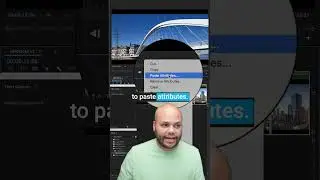
Full Screen Playback in Premiere Pro - 4 Methods
How to get full screen playback of your preview/program monitor in Adobe Premiere Pro. 4 Methods
00:00 maximize or restore frame under cursor
00:15 maximize or restore any active window
00:25 Toggle Full Screen
00:35 Send Full Screen playback to second monitor
GET MY Premiere Pro PRESET PACK: http://bit.ly/JavierPresetPack01
My 350+ Split Screen and Letterbox PNG Overlay Bundle: http://bit.ly/JMBundle01
@javiermercedesx on social:
Instagram: / javiermercedesx
Twitter: / javiermercedesx
My Screen Recorder: https://bit.ly/JMCamtasia
ALL OF MY GEAR: https://kit.co/JavierMercedes
Light: https://amzn.to/3sfngLz
Mic: https://amzn.to/2XaLjMe
Camera: https://amzn.to/3g767kW
Lens: https://amzn.to/2IWLU0e
Audio Interface: https://amzn.to/3uMcFcQ
My favorite piece of gear: https://amzn.to/2XEuYnd
Get Adobe Premiere Pro and the Creative Cloud: https://bit.ly/JMCreativeCloud
Support me on Patreon: / javiermercedes
Get My Podcast the Passion In Progress show on:
YouTube: http://bit.ly/PIPyoutube
Apple: http://bit.ly/PIPApple
Google: http://bit.ly/PIPGoogle
Spotify: http://bit.ly/PIPSpotify
Stitcher: http://bit.ly/PIPStitcher
Rank your videos higher in search with With Tubebuddy: https://www.tubebuddy.com/Progress
SUBSCRIBE: / @javiermercedes
DISCLAIMER: This video and description contains affiliate links, which means that if you click on one of the product links, I’ll receive a small commission.
On this page of the site you can watch the video online Full Screen Playback in Premiere Pro - 4 Methods with a duration of hours minute second in good quality, which was uploaded by the user Javier Mercedes 17 June 2021, share the link with friends and acquaintances, this video has already been watched 70,401 times on youtube and it was liked by 1.2 thousand viewers. Enjoy your viewing!