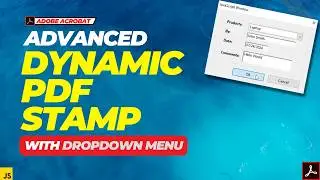
Populate a Dropdown with 100+ Items Instantly in Adobe Acrobat
Stop typing dropdown items manually in Adobe Acrobat! In this tutorial, I'll show you how to build a simple tool inside a PDF that lets you paste any list — from Excel, Google Sheets, or anywhere — click one button, and instantly populate your dropdown field. Works with 10 items or 1000 items!
✅ No plugins needed — just Adobe Acrobat Pro
✅ One line of JavaScript — I explain every part
✅ Includes how to copy the populated dropdown into any other form
✅ We built a tool PDF with a dropdown, a text field, and a button
✅ Added one line of JavaScript to the button
✅ Pasted our list into the text field — one item per line
✅ Clicked the button and the dropdown was instantly populated
✅ And we copied that dropdown into another form — items and all
TIMESTAMPS:
0:00 – Intro
0:45 – Setting Up the PDF
1:45 – Adding the Three Fields
3:00 – Adding the JavaScript to the Button
4:30 – Testing the Tool
5:45 – Preparing Your List (Excel tip)
6:30 – Copying the Dropdown to Another Form
7:20 – Recap & Tips
7:45 – Outro
#adobe #adobeacrobat #tutorial #pdf #dropdown #javascript
On this page of the site you can watch the video online Populate a Dropdown with 100+ Items Instantly in Adobe Acrobat with a duration of hours minute second in good quality, which was uploaded by the user SAR Solutions 21 April 2026, share the link with friends and acquaintances, this video has already been watched 259 times on youtube and it was liked by 8 viewers. Enjoy your viewing!