How to live stream video from camera using the new createCaptureSession API in Android App? - API 34
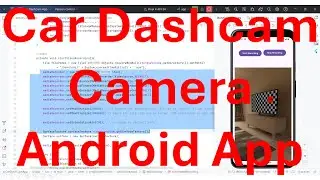
In this video it shows the steps to create live streaming video from the phone's camera on the Texture View widget of your Android App.
It uses the new CameraDevice.createCaptureSession(sessionConfiguration) API. The previous versions of this API are deprecated from API version 30 onwards.
I hope you like this video. For any questions, suggestions or appreciation please contact us at: https://programmerworld.co/contact/ or email at: [email protected]
Complete source code and other details/ steps of this video are posted in the below link:
https://programmerworld.co/android/ho...
However, the main Java code is copied below also for reference:
package com.programmerworld.cameraapp;
public class MainActivity extends AppCompatActivity {
private TextureView textureView;
private CameraCaptureSession myCameraCaptureSession;
private String stringCameraID;
private CameraManager cameraManager;
private CameraDevice myCameraDevice;
private CaptureRequest.Builder captureRequestBuilder;
@Override
protected void onCreate(Bundle savedInstanceState) {
super.onCreate(savedInstanceState);
setContentView(R.layout.activity_main);
ActivityCompat.requestPermissions(this,
new String[]{CAMERA},
PackageManager.PERMISSION_GRANTED);
textureView = findViewById(R.id.textureView);
cameraManager = (CameraManager) getSystemService(CAMERA_SERVICE);
startCamera();
}
private CameraDevice.StateCallback stateCallback = new CameraDevice.StateCallback() {
@Override
public void onOpened(@NonNull CameraDevice cameraDevice) {
myCameraDevice = cameraDevice;
}
@Override
public void onDisconnected(@NonNull CameraDevice cameraDevice) {
myCameraDevice.close();
}
@Override
public void onError(@NonNull CameraDevice cameraDevice, int i) {
myCameraDevice.close();
myCameraDevice = null;
}
};
private void startCamera() {
try {
stringCameraID = cameraManager.getCameraIdList()[1];
if (ActivityCompat.checkSelfPermission(this, android.Manifest.permission.CAMERA) != PackageManager.PERMISSION_GRANTED) {
return;
}
cameraManager.openCamera(stringCameraID, stateCallback, null);
} catch (CameraAccessException e) {
throw new RuntimeException(e);
}
}
public void buttonStartCamera(View view){
SurfaceTexture surfaceTexture = textureView.getSurfaceTexture();
Surface surface = new Surface(surfaceTexture);
try {
captureRequestBuilder = myCameraDevice.createCaptureRequest(CameraDevice.TEMPLATE_PREVIEW);
captureRequestBuilder.addTarget(surface);
OutputConfiguration outputConfiguration = new OutputConfiguration(surface);
SessionConfiguration sessionConfiguration = new SessionConfiguration(SessionConfiguration.SESSION_REGULAR,
Collections.singletonList(outputConfiguration),
getMainExecutor(),
new CameraCaptureSession.StateCallback() {
@Override
public void onConfigured(@NonNull CameraCaptureSession cameraCaptureSession) {
myCameraCaptureSession = cameraCaptureSession;
captureRequestBuilder.set(CaptureRequest.CONTROL_AE_MODE,
CameraMetadata.CONTROL_MODE_AUTO);
try {
myCameraCaptureSession.setRepeatingRequest(captureRequestBuilder.build(), null, null);
} catch (CameraAccessException e) {
throw new RuntimeException(e);
}
}
@Override
public void onConfigureFailed(@NonNull CameraCaptureSession cameraCaptureSession) {
myCameraCaptureSession = null;
}
}
);
myCameraDevice.createCaptureSession(sessionConfiguration);
} catch (CameraAccessException e) {
throw new RuntimeException(e);
}
}
public void buttonStopCamera(View view){
try {
myCameraCaptureSession.abortCaptures();
} catch (CameraAccessException e) {
throw new RuntimeException(e);
}
}
}
--
On this page of the site you can watch the video online How to live stream video from camera using the new createCaptureSession API in Android App? - API 34 with a duration of hours minute second in good quality, which was uploaded by the user Programmer World 13 August 2023, share the link with friends and acquaintances, this video has already been watched 5,238 times on youtube and it was liked by 49 viewers. Enjoy your viewing!



![Comercial de Maite Perroni [@MaiteOficial] para Proactiv](https://image.4k-video.cc/id-video/9F6rv4WNmJY)