Install Python Packages Without Internet #6.3
Hi All, in this video we will see how to install python packages on the machine which does not have internet access.
The steps to install python packages on the machine without internet is as follows:
1. On the machine which has internet access you need to download all the required packages. You need to create a folder where you want to store all the downloaded packages. The command to download all the packages is as follows:
pip download -d folder_name -r req.txt OR
pip download -d folder_name package_name
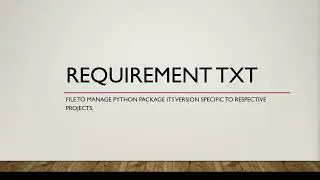
Here I have mentioned all the packages in requirement.rxt file but you can provide individual names as well.
It will download all the mentioned packages with their dependencies.
2. Once you have got all the required packages in the folder, next step is to move that folder to the machine which does not have internet access. You can accomplish this task either using shared folder, using USB or taking help of IT support.
3. Once you have got the folder on required machine next step is to run below command to install all the packages available under the folder.
pip install /path/to/folder/*
In case you want to install specific package from the list of the packages under the folder you can run below command.
pip install package_name /path/to/folder/package_name
It will install given package with all its dependencies.
On this page of the site you can watch the video online Install Python Packages Without Internet #6.3 with a duration of hours minute second in good quality, which was uploaded by the user Wildest Imagination 05 September 2021, share the link with friends and acquaintances, this video has already been watched 3,930 times on youtube and it was liked by 39 viewers. Enjoy your viewing!