Rocky Linux 9.2 Installation on VirtualBox 7.0 with Guest Additions step by step
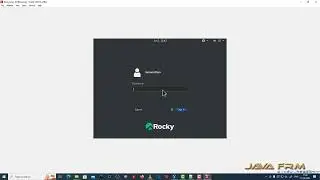
In this video we are going to see how to install Rocky Linux 9.2 on VirtualBox 7.0 with Guest Additions step by step.
First download the Rocky Linux 9.2 DVD iso file from https://rockylinux.org/ website.
In this video we shown
1. how to install dependencies for guest additions
2. install guest additions from VBoxGuestAdditions.iso
3. how to enable Shared Clipboard.
4. how to access shared folder from windows host machine.
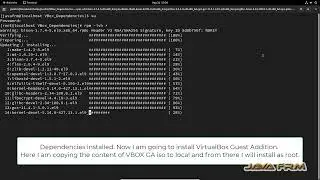
First install the below rpm packages for VirtualBox GuestAdditions.
bison-3.7.4-5.el9.x86_64.rpm
gcc-11.3.1-2.1.el9.x86_64.rpm
kernel-devel-5.14.0-162.6.1.el9_1.x86_64.rpm
m4-1.4.19-1.el9.x86_64.rpm
zlib-devel-1.2.11-34.el9.x86_64.rpm
elfutils-libelf-devel-0.187-5.el9.x86_64.rpm
glibc-devel-2.34-40.el9.x86_64.rpm
kernel-headers-5.14.0-162.6.1.el9_1.x86_64.rpm
make-4.3-7.el9.x86_64.rpm
flex-2.6.4-9.el9.x86_64.rpm
glibc-headers-2.34-40.el9.x86_64.rpm
libxcrypt-devel-4.4.18-3.el9.x86_64.rpm
openssl-devel-3.0.1-43.el9_0.x86_64.rpm
All above mentioned dependent rpm packages are available in Rocky Linux 9.2 DVD BaseOS/Packages and AppStream/Packages Directory.
After install check the screen resolution and shared clipboard functionality in Rocky Linux 9.2.
#rockylinux #rockylinux9 #linux
On this page of the site you can watch the video online Rocky Linux 9.2 Installation on VirtualBox 7.0 with Guest Additions step by step with a duration of hours minute second in good quality, which was uploaded by the user java frm 18 May 2023, share the link with friends and acquaintances, this video has already been watched 1,904 times on youtube and it was liked by 9 viewers. Enjoy your viewing!