Split Screen For Redmi Note 4 ( How to Enabled Split Screen in Redmi Note 4 ) "No Root"
For the RN4 users who are eagerly awaiting the MIUI 9 rom for split-screen multi-tasking feature, this is for you.
MIUI 8 nougat developer rom has a hidden toggle for the Split-Screen multitasking mode in the settings.Once enabled it can be used with the help of another app called Button Mapper.
Pre-requisites:-
Nougat based MIUI developer ROM - MIUI 8 Global 7.7.13 Beta rom. MIUI Global Beta 7.7.13
Install the free-version of button mapper pro app from playstore Button Mapper
Steps:-
Enabling the windows to be resized in settings
Enable developer options by Settings -- About Phone ---Tap on MIUI version 5 times.
Enable the re-sizeable windows by Settings -- Additional Settings -- Developer options -- Force Activities to be resizeable
Button Mapper settings
Open Button mapper and upon prompting to permit Accessebility settings, set button mapper as On in Accessebility settings.
Now come Scroll down to advanced settings -- Set long press delay as 200ms
Come back and click on Home Button option -- Select Split Screen.
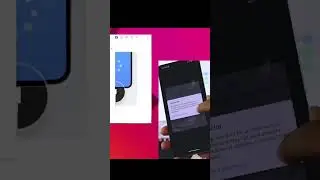
Now open any app and press the home-button for 2 seconds, the split-screen mode will be activated with current fore-ground app in the top pane.
You can choose another app for bottom pane from home screen or multi-tasking screen.
On this page of the site you can watch the video online Split Screen For Redmi Note 4 ( How to Enabled Split Screen in Redmi Note 4 ) "No Root" with a duration of hours minute second in good quality, which was uploaded by the user Free Tech 05 October 2017, share the link with friends and acquaintances, this video has already been watched 91,837 times on youtube and it was liked by 819 viewers. Enjoy your viewing!