After Effects CC: How To Use Linear Wipe Effect
After Effects CC 2022: How To Use Linear Wipe Effect
This tutorial will show you how to use the Linear Wipe Transition Effect in Adobe After Effects CC 2021 to create easy wipe on and wipe off transition effects to use with graphics (logos, etc), text, shapes layers.
Panels used in tutorial:Window Menu…Effects & Presets
Keyboard Shortcuts:
Reveal All Keyframes: U
———————
To try or buy Adobe After Effects CC 2020:
https://mikemurphy.co/adobe (affiliate link)
———————
How To Use Linear Wipe in Adobe After Effects:
1. Select Layer that you want to add the Linear Wipe effect
2. Drag playhead to the beginning of the timeline or where you want to add the first keyframe
3. Go to Effects & Presets panel in the right sidebar (Windows…Effects & Presets if not visible)
4. Go to Effect Controls (top-left corner) to customize Linear Wipe
5. Change Transition Completion to 100% to ‘Wipe On’
6. Click the Stopwatch next to Transition Completion to add a keyframe
7. Drag the playhead on the timeline to 1 second (or where you want to add 2nd keyframe)
8. Change Transition Completion to 0% to add 2nd keyframe
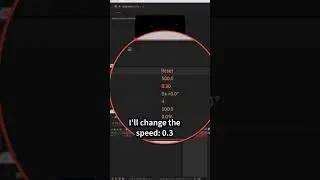
9. Change Wipe Angle to -90 to go from Left to Right (use the wheel to change the angle as you want it)
10. Change the Feather amount to 30 to soften the transition
11. Tap the spacebar to preview
12. Play around with this effect to get the look you want
How To Revers the Linear Wipe (as in the Tutorial):
1. Tap U to reveal all keyframes
2. Drag a selection to select both keyframes
3. Press Cmd/Ctrl + C to copy and drag playhead to where you want it to reverse
4. Paste keyframes using Cmd/Ctrl + V
5. Right-Click on the new selected keyframes
6. Click on ‘Keyframe Assistant’
7. Than click on ‘Time Reverse Keyframes’
8. Drag the playhead to the beginning
9. Tap the spacebar to preview
10. Done!
---------------------------------------------------------------
➜Amazon Influencer Store: https://www.amazon.com/shop/mikemurphyco
➜See All My Gear: https://www.mikemurphy.co/podgear
➜ Get Adobe Creative Cloud: https://mikemurphy.co/adobe
➜Screencast Software:
Screenflow: https://mikemurphy.co/screenflow
---------------------------------------------------------------
➜ VISIT MY WEBSITE:
- https://mikemurphy.co
➜ SUBSCRIBE TO PODCAST
-https://mikemurphy.co/mmu
➜ SOCIAL MEDIA:
- Instagram: / mikeunplugged
- Facebook: https://mikemurphy.co/facebook
- Twitter: / mikeunplugged
- YouTube: https://mikemurphy.co/youtube
Amazon Associates Disclosure:
Mike Murphy is a participant in the Amazon Services LLC Associates Program, an affiliate advertising program designed to provide a means for sites to earn advertising fees by advertising and linking to Amazon.com
On this page of the site you can watch the video online After Effects CC: How To Use Linear Wipe Effect with a duration of hours minute second in good quality, which was uploaded by the user Mike Murphy Co 10 December 2021, share the link with friends and acquaintances, this video has already been watched 40,090 times on youtube and it was liked by 289 viewers. Enjoy your viewing!