Linux Tutoral - Backup Lab
Lab Exercise:
System Backups
Note: Should you be a standard user or a super user for
backup operations?
1) Create a local backup respository
mkdir /home/backups/
2) Enumerate the size of the data for backup
du -hs /etc /home /var /root
3) Backup the data using your specific Student ID and
timestamp
time tar cvzf $USERNAME_`date +%Y%m%d_%H%M`.tar.gz
/home /var /root
/etc
4) Synchronize the backup to a remote server
rsync -huv /home/backups/h00123456_20140716_1100.tar.gz
h00123456@remotehost:/home/backups/
=============================================
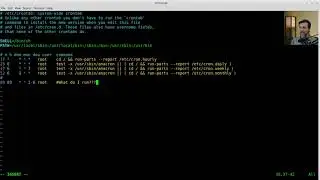
483 mkdir /opt/backups
484 # Changed to OPT to avoid backing-up the backup.
485 cd /opt/backups/
486 # I'm now in /opt/backups
487 pwd
488 du -hs /etc /home /var /root
489 # just for fun... we'll use a basic calculator...
490 # Note: this is the uncompressed size.
491 echo "25+240+669+4.5" | bc
492 # The total backup size is .9GB
493 # Note: this is the uncompressed size
494 # time tar cvzf x00123456_`date +%Y%m%d_%H%M`.tar.gz
495 # The # sign is a comment...
496 # Let
497 # Let's look at the date command...
498 date +%Y%m%d_%H%M
499 #so... userid_date.tar.gz....
500 time tar cvzf x00123456_`date +%Y%m%d_%H%M`.tar.gz /etc /home /root /var
501 ll
502 echo "463/900" | bc
503 # now... let's remotely archive it...
504 # rsync -huv x00123456_20140716_1634.tar.gz [email protected]:/home/backups/
505 # Let's check our aliases
506 alias
507 # Note: rsync already has a time statement...
508 rsync -huv x00123456_20140716_1634.tar.gz [email protected]:/home/backups/
509 history
On this page of the site you can watch the video online Linux Tutoral - Backup Lab with a duration of hours minute second in good quality, which was uploaded by the user The Expat Professor 28 February 2019, share the link with friends and acquaintances, this video has already been watched 139 times on youtube and it was liked by like viewers. Enjoy your viewing!