Ultimate GitHub Copilot CLI tutorial for beginners
Learn how to use GitHub Copilot directly inside your terminal with this complete beginner compilation. We cover everything from the basic installation and configuration to mastering interactive and non-interactive modes. You will also discover how to use slash commands, connect Model Context Protocol (MCP) servers, and orchestrate AI agents for automated workflows. Check out the chapters below to jump straight to the specific tutorial you need.
#GitHubCopilot #CopilotCLI #GitHubCopilotCLI
— CHAPTERS —
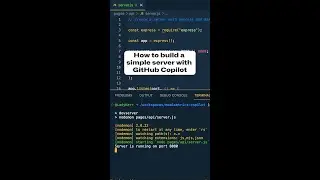
00:00 Getting started with GitHub Copilot CLI | Tutorial for beginners
03:43 Interactive vs non-interactive modes | Copilot CLI for beginners
05:32 A beginner's guide to Copilot CLI slash commands
08:05 Copilot CLI for beginners: Plan, delegate, and review
12:59 How to use MCP servers with GitHub Copilot CLI | Tutorial for beginners
17:18 How to use agents, skills, and instructions in Copilot CLI | Tutorial for beginners
GitHub Copilot CLI for Beginners: https://github.com/github/copilot-cli...
Stay up-to-date on all things GitHub by connecting with us:
YouTube: https://gh.io/subgithub
Blog: https://github.blog
X: / github
LinkedIn: / github
Insider newsletter: https://resources.github.com/newsletter/
Instagram: / github
TikTok: / github
About GitHub
It’s where over 180 million developers create, share, and ship the best code possible. It’s a place for anyone, from anywhere, to build anything—it’s where the world builds software. https://github.com
On this page of the site you can watch the video online Ultimate GitHub Copilot CLI tutorial for beginners with a duration of hours minute second in good quality, which was uploaded by the user GitHub 21 June 2026, share the link with friends and acquaintances, this video has already been watched 9,329 times on youtube and it was liked by 188 viewers. Enjoy your viewing!