Neovim Config Switcher
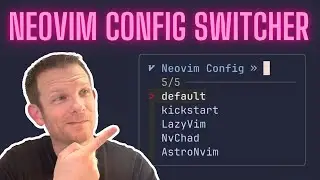
In this video, I show a new feature of Neovim nightly that allows for quickly switching between configurations so that you can experiment with new configs or swap between special setups.
Here is the script from my ~/.zshrc file https://gist.github.com/elijahmanor/b...
Here are some links mentioned in the video...
https://github.com/neovim/neovim/pull...
https://neovim.io/doc/user/starting.h...
https://astronvim.com/
NOTE: You'll need Neovim nightly for this to work (until it lands in an official release). You can install dev or nightly from https://github.com/neovim/neovim/wiki...
Feel free to join as a member of this channel for special perks https://youtube.com/@elijahmanor/join
0:00 Introduction
0:15 Run nvim
0:24 Run nvims
0:57 Run nvim with arguments
1:07 Use control-a
1:17 Use an alias
1:39 What am I doing?
1:56 NVIM_APPNAME
2:20 Install AstroNvim
3:05 Show .zshrc
3:50 Add AstroNvim to zshrc
4:20 Launch AstroNvim
4:54 Suggestions
5:07 Conclusion
#neovim #terminal #vim #commandline #astronvim #lazyvim #nvchad #kickstart
En esta página del sitio puede ver el video en línea Neovim Config Switcher de Duración hora minuto segunda en buena calidad , que subió el usuario Elijah Manor 27 marzo 2023, comparta el enlace con amigos y conocidos, en youtube este video ya ha sido visto 40,958 veces y le gustó 2.2 mil a los espectadores. Disfruta viendo!