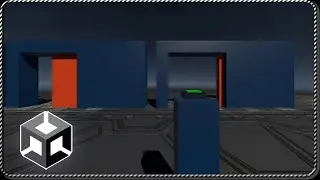
{ JOYSTICK for Android - DOWNLOAD and IMPORT into Unity } Horizontal Movement + 1 Button
This solution consists of a Joystick for Android to download and import in Unity, it is a prefab that is placed as a child of a Canvas and can already be used.
In the following link you can download the Unity package with the Joystick for Android:
https://gamedevtraum.com/en/game-deve...
One of the advantages it has is that it also recognizes mouse and keyboard inputs, so you can test it in the Unity Editor without the need for touch input.
The Joystick is in charge of handling the input events and has public functions to know its status. To know the horizontal movement state we use a function called "GetHorizontalAxis" that returns a float value that is 0 when none or both arrows are pressed, returns -1 when the left arrow is pressed and returns +1 when the right arrow is pressed, this axis value can be used to model the type of movement we need.
To know if the interaction button has been pressed there is the function "GetInteractionDown" that returns a boolean value, true if the button has been pressed in that frame, so we can use it as a condition of an IF statement and then apply the action we need, like jump, shoot or activate some mechanism.
____________________________________________________________
LINKS
Portfolio: https://gamedevtraum.com/en/portfolio...
LinkedIn: / gamedevtraum
Downloads: https://gamedevtraum.itch.io/
Contact 1: [email protected]
Contact 2: / gamedevtraum
____________________________________________________________
#EN
En esta página del sitio puede ver el video en línea { JOYSTICK for Android - DOWNLOAD and IMPORT into Unity } Horizontal Movement + 1 Button de Duración hora minuto segunda en buena calidad , que subió el usuario GDT Solutions ES 01 febrero 2021, comparta el enlace con amigos y conocidos, en youtube este video ya ha sido visto 1,129 veces y le gustó 19 a los espectadores. Disfruta viendo!