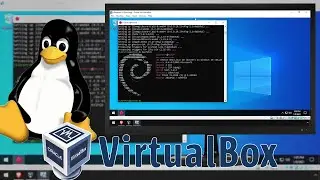
Installing Windows Subsystem for Linux (WSL) Inside VirtualBox VM
#Windows #Linux #VirtualBox
Full steps can be found at https://i12bretro.github.io/tutorials...
--------------------------------------------------------------------
VirtualBox Settings
--------------------------------------------------------------------
01. Launch VirtualBox
02. Right click on the Windows 10 VM ≫ Settings...
03. Select System from the left navigation ≫ Click the Processor Tab
04. Check the Enable Nested VT-x/AMD-V box
05. Click OK to close the settings dialog
06. Right click on the Windows 10 VM ≫ Start ≫ Normal Start
--------------------------------------------------------------------
Installing WSL2 Inside the VM
--------------------------------------------------------------------
01. Launch Powershell as administrator
02. Run the following command
dism.exe /online /enable-feature /featurename:Microsoft-Windows-Subsystem-Linux /all /norestart
03. Reboot
04. If running Windows 2004 or newer, run the following additional commands to use WSL 2
dism.exe /online /enable-feature /featurename:VirtualMachinePlatform /all /norestart
wsl --set-default-version 2
05. Click the Start Button ≫ Search Microsoft Store ≫ Select Microsoft Store
06. Search for the Linux distribution to install (Debian, Ubuntu, etc)
07. Select the Linux distribution and click the Get button in the upper right corner
08. After the Linux distribution downloads and installs, select the distribution from the Start menu to launch it
09. Input a username and password to be used in the Linux environment
Connect with me and others ###
★ Discord: / discord
★ Reddit: / i12bretro
★ Twitter: / i12bretro
En esta página del sitio puede ver el video en línea Installing Windows Subsystem for Linux (WSL) Inside VirtualBox VM de Duración hora minuto segunda en buena calidad , que subió el usuario i12bretro 08 julio 2024, comparta el enlace con amigos y conocidos, en youtube este video ya ha sido visto 4,187 veces y le gustó 26 a los espectadores. Disfruta viendo!