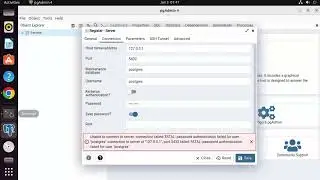
How to Fix " FATAL: password authentication failed for user "postgres" " in PostgreSQL or pgAdmin4
Are you encountering the "FATAL: password authentication failed for user 'postgres'" error when trying to connect to Postgres or pgAdmin? This error typically occurs when the provided password for the 'postgres' user is incorrect or authentication is not properly configured. Here's a step-by-step guide on how to fix this error:
1. Verify the Correct Password:
Double-check the password you are using for the 'postgres' user. Ensure it is entered correctly, including any uppercase or lowercase letters.
2. Check Authentication Method:
Open the `pg_hba.conf` file located in the PostgreSQL configuration directory.
Look for the line that controls the authentication method for the 'postgres' user.
By default, it may look like this: `local all postgres peer`.
Change the authentication method to `md5`, like this: `local all postgres md5`.
Save the file and restart the PostgreSQL service.
3. Restart PostgreSQL Service:
Restart the PostgreSQL service to apply the changes you made to the configuration file.
The method to restart the service depends on your operating system. Here are a few examples:
On Linux: `sudo service postgresql restart`
On Windows: Use the Services application to restart the PostgreSQL service.
4. Try Connecting Again:
Launch pgAdmin or attempt to connect to PostgreSQL again using the 'postgres' user and the correct password.
Make sure to provide the updated password if you changed it in the previous steps.
Following these steps should resolve the "FATAL: password authentication failed for user 'postgres'" error and allow you to connect to PostgreSQL or pgAdmin using the correct credentials.
En esta página del sitio puede ver el video en línea How to Fix " FATAL: password authentication failed for user "postgres" " in PostgreSQL or pgAdmin4 de Duración hora minuto segunda en buena calidad , que subió el usuario ProgrammingKnowledge2 05 junio 2023, comparta el enlace con amigos y conocidos, en youtube este video ya ha sido visto 86,681 veces y le gustó 448 a los espectadores. Disfruta viendo!