Premiere pro hardware decoding ver online
2:59

Enable HARDWARE ENCODING In Premiere Pro || FIX Premiere Pro Hardware Acceleration 100% FIXED
How to Fix - Your System's Hardware Does Not Support Hardware Acceleration for the Current Settings. Adobe Premiere Pro is a ...
0:44

🛠️ Fix Hardware Encoding Not Working in Premiere Pro | Step-by-Step Tutorial
Are you struggling with hardware encoding issues in Adobe Premiere Pro? No worries! In this step-by-step tutorial, we'll guide ...
5:57

Premiere Pro Export Taking Too Long? 6 Ways to Speed It Up (2026)
... Premiere Pro export slow, Premiere Pro export taking too long, speed up Premiere Pro export, hardware encoding Premiere Pro ...
5:22

Fix: Hardware encoding not working in Premiere Pro
Here is what to do to fix: Hardware encoding not working in Premiere Pro. Check out our website https://candid.technology/ for ...
6:25
How To: Is Your Footage Supported for Hardware Accelerated Decoding/Encoding in Premiere Pro?
Is your footage lagging in Premiere Pro, leaving you frustrated and wondering what's going wrong? In this video, we dive into why ...
4:00
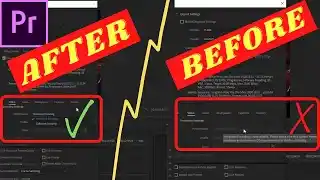
How To Enable HARDWARE ENCODING In Premiere Pro | Premiere Pro Hardware Encoding 100% FIXED 2021
In This Video I will show you How To Enable HARDWARE ENCODING In Premiere Pro | Premiere Pro Hardware Encoding 100% ...
6:21

Premiere Pro is now FASTER THAN EVER! | Super Smooth Playback w/ Hardware Decoding
COLOR GRADED WITH MY LUT PACK: https://geni.us/lutsbylila Have you always wondered how to get smooth playback in ...
1:37

How to Enable Hardware Accelerated Decoding for Smooth Playback - Lesson 320 Adobe Premiere Tutorial
Edit in Minutes - Quick Tutorials
Choppy playback with certain footage often comes down to whether your computer's hardware or your CPU alone is doing the ...
5:11

Improved Playback with new GPU Decoding in Premiere Pro | Adobe MAX 2020 | Adobe Video
Puget Systems tests the playback performance improvements in the latest release of Adobe Premiere Pro. Learn more about the ...
0:22

How To Enable GPU Hardware Accelerated Decoding En
**Codec Support:** While Premiere Pro supports hardware decoding for many H.264 and HEVC variants, not all are supported.
3:08

How to Enable Hardware Acceleration in Premiere Pro [2026 Full Guide]
How to Enable Hardware Acceleration in Premiere Pro [2026 Full Guide] In today's video, we cover hardware acceleration, ...
5:58

HOW TO FIX "HARDWARE ENCODING" IN PREMIERE PRO! (GREYED OUT OR USING HIGH CPU)
IM JUST TRYING TO HELP SOME FELLOW CREATORS OUT.. THIS WAS AS DISASTER TO FIGURE OUT AND TOOK DAYS.
2:51

How to Enable Hardware Encoding Decoding in Media Encoder [2026 Full Guide]
How to Enable Hardware Encoding Decoding in Media Encoder In this video, we show you exactly how to Enable Hardware ...
1:13

Premiere Pro Not Using GPU? Here’s How to Fix It!
Premiere Pro Not Using GPU: In this short tutorial I show you, how to fix Premiere Pro not using GPU acceleration.
6:13

Nvenc vs Quick Sync Premiere Pro GPU acceleration and GPU encoding and decoding
This video demonstrates how to enable GPU acceleration and GPU encoding and decoding. It also shows how to enable Intel's ...
1:01

How to enable GPU acceleration Premiere Pro 2025
Learn how to enable GPU acceleration in Adobe Premiere Pro 2025 for faster playback, smoother editing, and quicker rendering.
4:50

Premiere Pro 14.5: Enabling new Hardware Acceleration | Performance Improvements
Adobe Premiere Pro 14.5 was released with new performance features. Utilize your Nvidia or AMD GPU for better performance ...
0:28
How To Enable/Disable H264 Hardware Accelerated Decoding Premiere Pro 2022
How To Enable H264 Hardware Accelerated Decoding Premiere Pro 2022 How To Disable H264 Hardware Accelerated ...
1:55

How To Enable Hardware Encoding in Premiere Pro
In This Tutorial, I will be Showing You ✅ How To Enable Hardware Encoding in Premiere Pro | premiere pro me hardware coding ...
6:01

Fix Premiere Pro not using GPU acceleration 2025 | How to enable GPU acceleration premiere pro
Is Premiere Pro not using GPU acceleration in 2025? Don't worry! In this step-by-step guide, I'll show you how to enable GPU ...