Automatic Page Refresh (APR) in the Power BI Desktop with SQL Server DirectQuery Mode
In this session, we will discuss the new rolled out feature in the Power BI October 2019 update. Make sure before you proceed further, you have the latest version of the Power BI Desktop installed in your machine. Automatic Page Refresh (APR) is a feature which allows us set refresh interval in our Power BI desktop with DirectQuery data sources only.
The APR feature provides us with the experience of Real Time Data Refresh. This APR has some limitations while we publish the Report to the Power BI Service.
For detailed information about this new feature, please visit the following URL of the report.
https://docs.microsoft.com/en-us/powe...
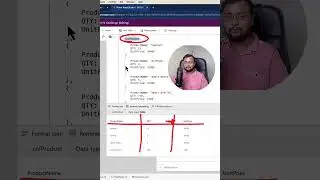
In this video, we will take an example of SQL Server data source with DirectQuery mode.
We will execute the query which is adding a counter at every interval in the report. In Power BI Desktop, we will add a refresh interval at every one second. So, it will provide real time refresh experience of the data.
If you need sample Power BI file and sample database script, download the report and script using the following URL.
If you really like this video don’t forget to subscribe to my channel.
Download the code files using the following URL:
https://github.com/Dhruvinshah16/Powe...
***************
Contact me for any Questions, Consulting Service or Development Service:
LinkedIn: / dhruvin-shah-2134a6117
Facebook: / learn2all
Email: [email protected]
Twitter: / dhruvinshah16
Whatsapp: +91 9537981467
#PowerBI
#PowerBIDesktop
#AutomaticPageRefresh
#APR
#SQLServerDQMode
Sur cette page du site, vous pouvez voir la vidéo en ligne Automatic Page Refresh (APR) in the Power BI Desktop with SQL Server DirectQuery Mode durée heure minute seconde en bonne qualité , qui a été Téléchargé par l'utilisateur Dhruvin Shah 15 octobre 2019, Partagez le lien avec vos amis et connaissances, sur youtube cette vidéo a déjà été regardée 13,981 fois et il a aimé 126 téléspectateurs. Bon visionnage!