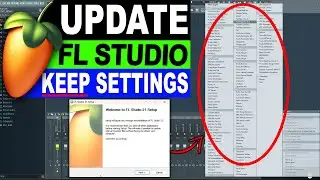
How To Adjust Browser Audio Preview Volume In FL Studio 20
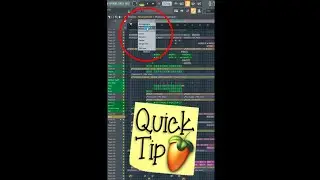
This tutorial will show you how to adjust the sample preview volume and the metronome volume in FL Studio 20. You can preview audio samples in the browser, but the volume can sometimes be too loud or too quiet. In that case, it can be helpful to be able to change the sample preview volume in the browser. This is very easy to do in FL Studio 20. This video will show you how to quickly adjust the sample preview/browser volume in FL Studio, by linking it to a dedicated mixer track so that you can easily adjust the sample preview volume. This can be very useful if you have a busy project and you want to preview sounds from the browser while the project plays. It can then sometimes be difficult to hear the audio preview from the browser clearly, and you might then want to increase the audio preview volume in the browser.
Although this is an fl studio 20 tutorial, if you want to adjust the browser volume (sample preview volume) in older versions of FL Studio instead then the good news is that it works exactly the same way there as well.
------------------------------------------------------------------
RECOMMENDED STUDIO GEAR:
(Amazon links below)
AUDIO INTERFACE:
☑️ Focusrite Scarlett Solo: https://geni.us/scarlettsolo-3rd-gen
☑️ Focusrite Scarlett 4i4 (3rd Gen): https://geni.us/scarlett-4i4
REFERENCE HEADPHONES:
☑️ AKG 612 PRO: https://geni.us/akg-k612pro
☑️ Beyerdynamic DT 990 PRO: https://geni.us/DT-990-pro
BUDGET MONITORS:
☑️ 5": Yamaha HS5: https://geni.us/Yamaha-HS5
☑️ 7": ADAM Audio: https://geni.us/Adam-Audio-T7V
☑️ 8": Yamaha HS8: https://geni.us/Yamaha-HS8
PROFESSIONAL MONITORS:
☑️ 7": ADAM Audio A7V: https://geni.us/ADAM-A7V
SUBWOOFER:
☑️ KRK 10S2 V2: https://geni.us/krk-10s2v2
MICROPHONE:
☑️ Audio-Technica Cardioid Condenser Studio XLR Microphone: https://geni.us/at2020microphone
☑️ Vocal recording booth/stand for microphone: https://geni.us/microphonebooth
XLR CABLES:
☑️ TISINO 35 ft Balanced XLR cable for mic: https://geni.us/xlr3ftoxlr3m
☑️ Monoprice 6 ft Balanced XLR Cable for monitors: https://geni.us/monoprice104761
SHORTCUT KEYBOARD:
☑️ Backlit FL Studio Shortcut Keyboard: https://geni.us/flstudio-keyboard
☑️Get The Complete Idiot's Guide To Music Theory Here:
https://geni.us/idiotsguidemusictheory
As an Amazon Associate, we earn from qualifying purchases.
--------------------------------------------------------------------------------
✔️ VST & Effect Plugins:
https://pluginboutique.com/?a_aid=5d4...
✔️ Premium Loops And Sample Packs:
https://www.loopmasters.com/?a_aid=5d...
--------------------------------------------------------------------------------
❤️ Support this channel on Patreon:
/ firewalkmusic
❤️ Support us with a one-time PayPal donation:
https://www.paypal.me/firewalkmusic
⚠️ Do you need professional feedback on your track? Mixing or mastering? Check out my gigs on Fiverr: http://www.fiverr.com/firewalk
00:00 introduction
00:07 How to link the browser volume to a mixer track
00:22 How to adjust the browser volume (audio preview volume in FL Studio)
Follow FireWalk on social media:
/ djfirewalk
/ djfirewalk
/ firewalk_music
/ firewalk_music
📧 Business inquiries:
[email protected]
In questa pagina del sito puoi guardare il video online How To Adjust Browser Audio Preview Volume In FL Studio 20 della durata di ore minuti seconda in buona qualità , che l'utente ha caricato FireWalk 21 maggio 2021, condividi il link con amici e conoscenti, su youtube questo video è già stato visto 13,159 volte e gli è piaciuto 328 spettatori. Buona visione!