{Export model in FBX format with TEXTURES INCLUDED in Blender}
COMPLETE PLAYLIST - FROM BLENDER TO UNITY
• { Cómo EXPORTAR de BLENDER a UNITY serie c...
In this video, we'll show you how to export a model in FBX format with textures included and use them in Unity. I'd been asked this question several times, and I wasn't sure it was possible until I accidentally stumbled upon a way to do it.
In Blender's FBX export options, change the "Path Mode" to "Copy" and then click the "Embed Textures" button to the right of the option. This will create an FBX file that includes the textures, which can be seen when compared to a normally exported model.
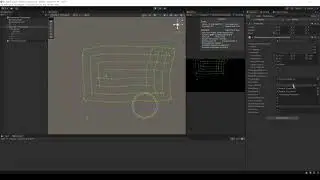
When you import it into Unity, the textures don't appear automatically. You need to extract them from the FBX file. To do this, select the file and go to the "Materials" tab in the inspector. There, you'll find a button to extract the textures. Select the destination folder, and then extract the textures from the FBX file. In my case, the textures were automatically applied to the material.
____________________________________________________________
LINKS
Portfolio: https://gamedevtraum.com/es/portfolio...
LinkedIn: / gamedevtraum
Downloads: https://gamedevtraum.itch.io/
Contact 1: [email protected]
Contact 2: / gamedevtraum
____________________________________________________________
TIMESTAMP
00:00 Preparing the model in Blender for export
00:15 Exporting FBX without textures
00:35 Exporting FBX with packed textures
01:08 Importing the model into Unity
01:18 Extracting the textures within the package in Unity
In questa pagina del sito puoi guardare il video online {Export model in FBX format with TEXTURES INCLUDED in Blender} della durata di ore minuti seconda in buona qualità , che l'utente ha caricato GDT Solutions ES 08 dicembre 2020, condividi il link con amici e conoscenti, su youtube questo video è già stato visto 104,507 volte e gli è piaciuto 2.4 mille spettatori. Buona visione!