Forensics Lab 0x04 Part 1 DNS
Forensics Lab 0x04 - Data Analysis and Log Parsing
Overview
This lab will require the student to process log data to extract actionable intelligence. The goal is to take a complex data set and convert it to a understandable report.
WARNING
This lab exposes the student to raw Internet logs. The logs used in this exercise are NOT filtered and are captured from live systems. Objectionable material may exist. Each student will have a different experience, as the logs are continuously changing.
The LOG files are available at:
http://public.cybernados.net/
Requirements
Linux Host
Log File
Process
You may use your own computer, or remotely login to remote04.cybernados.net as student/password. If you choose to use your own computer, use the remote host as a pivot-point/beachhead from which to download the log files.
Remote Access:
Authenticate to the Vault
Access the Remote Linux System (ssh works from the Linux, Windows 10, and MacOS X terminals)
ssh [email protected]
Create a lab directory for your session (First Initial, Last Name - all lowercase)
mkdir lab_forensics/jdoe
cd lab_forensics/jdoe
Copy the log files to your personal directory (you will have two files in your directory)
wget ftp://10.10.51.200/log/cybdns01.log
wget ftp://10.10.51.200/log/gcutm01.log
Part 1 - DNS - Live LAB Analysis, As it Unfolds
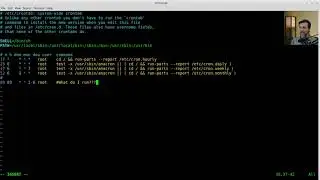
cat cybdns01.log
wc -l cybdns01.log
head cybdns01.log
head -20 cybdns01.log
head -30 cybdns01.log
cat cybdns01.log | grep -i error
cat cybdns01.log | grep -i error | grep -iv query-errors
cat cybdns01.log | grep -i query-error
cat cybdns01.log | grep -i "DNS format error"
cat cybdns01.log | grep -i query-error
cat cybdns01.log | grep -i query-error| awk -F"client" '{ print $2 }'
cat cybdns01.log | grep -i query-error| awk -F"SERVFAIL" '{ print $2 }'
cat cybdns01.log | grep -i query-error| awk -F"SERVFAIL" '{ print $2 }' | awk '{ print $3 }'
cat cybdns01.log | grep -i query-error| awk -F"SERVFAIL" '{ print $2 }' | awk '{ print $3 }' | sort | uniq -c | sort -n
cat cybdns01.log | grep -v "clamav" | grep -i query-error| awk -F"SERVFAIL" '{ print $2 }' | awk '{ print $3 }' | sort | uniq -c | sort -n
cat cybdns01.log | grep -v "clamav\|in-addr" | grep -i query-error| awk -F"SERVFAIL" '{ print $2 }' | awk '{ print $3 }' | sort | uniq -c | sort -n
cat cybdns01.log | grep -v "clamav|in-addr" | grep -i query-error| awk -F"SERVFAIL" '{ print $2 }' | awk '{ print $3 }' | sort | uniq -c | sort -n
alias grep
cat cybdns01.log | grep -v "clamav|in-addr" | grep -i query-error| awk -F"SERVFAIL" '{ print $2 }' | awk '{ print $3 }' | sort | uniq -c | sort -n
cat cybdns01.log | grep -v "clamav|in-addr" | grep -i query-error| awk -F"SERVFAIL" '{ print $2 }' | awk '{ print $3 }'
cat cybdns01.log | grep -v "clamav|in-addr" | grep -i query-error| awk -F"SERVFAIL" '{ print $2 }' | awk '{ print $3 }' | awk -F"/" '{ print $1 }'
cat cybdns01.log | grep -v "clamav|in-addr" | grep -i query-error| awk -F"SERVFAIL" '{ print $2 }' | awk '{ print $3 }' | awk -F"/" '{ print $1 }' | sort | uniq -c | sort -n
Thank you for dropping by!
Please join me:
/ paulwpoteete
/ paulwpoteete
/ paulwpoteete
In questa pagina del sito puoi guardare il video online Forensics Lab 0x04 Part 1 DNS della durata di ore minuti seconda in buona qualità , che l'utente ha caricato The Expat Professor 19 aprile 2020, condividi il link con amici e conoscenti, su youtube questo video è già stato visto 123 volte e gli è piaciuto like spettatori. Buona visione!