Spotlight Effects in After Effects | Spotlight Effects
Spotlight Effects in After Effects, Spotlight Effects.
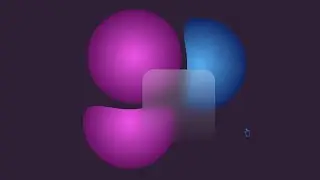
In this video I will show you spotlight effects in after effects, spotlight effects, 3d point light, 3d ambient light and 3d parallel light in adobe after effects.
Creating spotlight effects in adobe after effect can add dramatic lighting and focus to your scene. There are several ways to creat this, depending on what you want a realistic 3D spotlight or a stylized 2D spotlight. Here's a guide for both.
Option 1: 3D spotlight using lights
This method uses after effect 'Built-in 3D Lights and is best for realistic lighting effects.
Steps:
• Import or create your scene
• Create a new composition.
• Add your layers (E.G., background, text, image).
• Enable 3d for your layers
• Select the layer (s) You want the light to affair.
• Click the 3D layer switch (the cube icon) in the timeline.
• Create a new spotlight
• Right-click in the timeline → new → light.
• Choose Light Type: Spotlight.
• SET intensity (100% is default, increase for stronger light).
• set cone angle and feather for softness.
• Adjust Light Position
• Use the selection tool (v) to move the light in 3D space.
• Tilt and position it to cast light where you want.
• Tweak shadows
• In the light settings, Enable Cast Shadows.
Make sure your 3D layers are also set to accept shadows.
• You may need to increase the shadow darkness and adjust layer materials.
Option 2: 2D STYLized Spotlight (Using Masks & Feathering)
Great for ui animations, stylized videos, or when you have needed full 3d.
Steps:
• add a solid layer
• Layer → New → solid (black or dark color).
• Place it Above your footage.
• Create an Elliptical Mask
• Select the solid → use the Ellipse Tool (Q) While Holding Shift to Draw a Circle.
• Set the mask to subtract in the timeline.
• feather the mask
• Press mm on the solid to reveal mask settings.
• Increase the feather to soften the edges and creat a glow-like spotlight.
• Adjust opacity and expansion
• Lower the opacity of the solid for a more subtle effect.
• Use mask expansion to control spotlight size.
• add a glow (optional)
• Apply glow effects (steylize → glow) to enhance the spotlight edges.
Option 3: Use CC Spotlight Effect
For Quick Spotlight-like Animation Without 3D.
Steps:
• Apply cc spotlight
• Select your footage layer.
• Go to effects → Perspective → CC spotlight.
• Adjust parameters
• Change Light Center, Target, and Intensity.
• Animum the position for moving spotlight effects.
Tips
• Use null objects to control spotlight move more easily.
• Parent your spotlight to a camera for dynamic scenes.
• Use keyframes to animate the light and create dramatic reveals.
• Combine with fog or dust participles for more realism.
Example Use cases
• Highlighting text or objects in motion graphics.
• Simulating stage lighting in a performance.
• Creating Night Scenes with Realistic Light Falloff.
This Video Also Includes: after effects, after effects tutorial, adobe after effects, after effect, animation, after effects animation, 3d coin after effects, after effects logo animation, after effects tutorial animation, after effects 3d coin, adobe after effects tutorial, after effects 3d, how to use after effects, after effects tutorials, coin animation after effects, 3d animation after effects, logo animation in after effects, logo animation after effects and more.
You can check also my After Effects Tutorials Links Below:
Adobe After Effects | Motion Graphics Tutorials (Playlists):
• After Effects | Motion Graphics Tutorial
Watch More At:
/ @gdalam602
Order me on Fiverr:
https://www.fiverr.com/mdnurealam602
Get (A-Z) Alphabetical Logo & Other Logos and Design Elements from Here:
https://www.shutterstock.com/en/g/Nur...
#aftereffects #spotlighteffects #spotlight #motiongraphics #tutorial
In questa pagina del sito puoi guardare il video online Spotlight Effects in After Effects | Spotlight Effects della durata di ore minuti seconda in buona qualità , che l'utente ha caricato GD Alam 01 gennaio 1970, condividi il link con amici e conoscenti, su youtube questo video è già stato visto 83 volte e gli è piaciuto 0 spettatori. Buona visione!