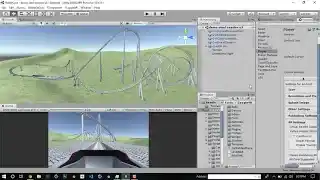
#1 QuickTip Unity Player Controller C# Script | Unity Scripting
In this Video, we will write code that makes a gameObject move left and right and Rotation based on the user’s input. This should help us understand the workflow of Unity scripting more easily.
Remember that every GameObject has at least one component − Transform. What is special is that the Transform of a gameObject also shows up as variables in the scripting side of Unity so we can modify it via code. This is not restricted to the Transform either; all components in Unity have properties, which are accessible through variables in scripting.
Let us start with our movement script. Create a new script, and name it “Player”.
Now, open the script
Let us create a public float variable named speed. Making a variable public in Unity has a great advantage −
The variable shows up as a modifiable field inside the editor, so you don’t have to manually adjust the values in code.
public class Player: MonoBehaviour {
public float speed;
}
If we save this script without touching the other methods, it should compile in Unity.
Next, drag and drop the script from the Assets onto the GameObject. If you do it correctly, this is what you should see in the GameObject’s properties −
Since the speed value is adjustable and need not be changed in code all the time, we can use update() method instead of start().
Let us now consider the objectives for the Update method −
Check for the user input.
If there is a user input, read the directions of input.
👀 You can find more of my work on:
⭐YouTube: / 3d4dhellomictestig123
😃 Facebook: / 3d4d-115704686788866
📸 Instagram: https://www.instagram.com/anbusport/?...
📑 reddit: / anbusport
🐤 twitter: https://twitter.com/home
🎨 Telegram: https://t.me/blender3d_cinema4d
Email: [email protected]
👉 Get More Videos and Free Stuff - Subscribe ➜
/ 3d4dhellomictestig123
Ask me a Question or let me know what you want to see next in the comments section below!
More Tutorials:
/ 3d4dhellomictestig123
Change the position values of the object’s transform based on its speed and direction.
Nesta página do site você pode assistir ao vídeo on-line #1 QuickTip Unity Player Controller C# Script | Unity Scripting duração hora minuto segundo em boa qualidade , que foi baixado pelo usuário 3D4D 15 May 2021, compartilhe o link com seus amigos e conhecidos, no youtube este vídeo já foi visto 125 vezes e gostou 8 espectadores. Boa visualização!