Part 19 | How to generate signed aab file from flutter project | android app bundle for play store
In this video we will learn how to generate signed aab file from flutter project.
android apk or android app bundle file is required to be uploaded to google play store.
Here are the steps to generate aab file
1. Create your Keystore
Keystore is the file you should have to sign your AAB file.
Run the following command in Terminal at your project's root directory.
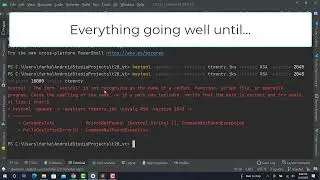
keytool -genkey -v -keystore ttwenty.jks -keyalg RSA -keysize 2048 -validity 10000 -alias ttwenty
After entering this command, you will be asked to fill key's password and some information.
2. Create a reference file to Keystore
Create a file named key.properties at [project root]/android/
storePassword=password from previous step
keyPassword=password from previous step
keyAlias=ttwenty
storeFile=../../ttwenty.jks
if you create with different key alias, please specify it in keyAlias.
For storeFile if you choose to put Keystore file at the root of your Flutter's project directory. This file's path would work.
3. Modify app/build.gradle
Load keystore's properties
Open [project]/android/app/build.gradle, look for android block, and put following code at the top of its.
def keystoreProperties = new Properties()
def keystorePropertiesFile = rootProject.file('key.properties')
if (keystorePropertiesFile.exists()) {
keystoreProperties.load(new FileInputStream(keystorePropertiesFile))
}
android {
...
}
Replace buildTypes block
find buildTypes block. it should look like the below:
buildTypes {
release {
// TODO: Add your own signing config for the release build.
// Signing with the debug keys for now,
// so `flutter run --release` works.
signingConfig signingConfigs.debug
}
}
you have to replace it with following code:
signingConfigs {
release {
keyAlias keystoreProperties['keyAlias']
keyPassword keystoreProperties['keyPassword']
storeFile keystoreProperties['storeFile'] ? file(keystoreProperties['storeFile']) : null
storePassword keystoreProperties['storePassword']
}
}
buildTypes {
release {
signingConfig signingConfigs.release
}
}
4. Let's sign and build the release version
flutter clean
flutter pub get
flutter build appbundle
PLAYLIST : • Complete Flutter T20 World Cup App Tutoria...
CODE and Assets : https://github.com/abidroid/t20_yt
-- SUBSCRIBE HERE --
/ intellilogics
SOCIAL MEDIA: Follow Me :-)
Facebook | / muhammad.abid3
Linkedin | www.linkedin.com/in/abidroid
GitHub | https://github.com/abidroid
Website | https://intellilogics.pk
#Flutter #Tutorial #IntelliLogics
LIKE & SHARE & ACTIVATE THE BELL
Thanks For Watching :-)
Nesta página do site você pode assistir ao vídeo on-line Part 19 | How to generate signed aab file from flutter project | android app bundle for play store duração hora minuto segundo em boa qualidade , que foi baixado pelo usuário IntelliLogics 07 Novembro 2022, compartilhe o link com seus amigos e conhecidos, no youtube este vídeo já foi visto 14,712 vezes e gostou 186 espectadores. Boa visualização!









![[Solved] Unhandled Exception: PlatformException(null-error, Host platform returned null) firebase](https://image.4k-video.cc/id-video/Qn2ysnVMvEE)
![[Solved] Flutter- DropdownButtonFormField overflow-on-big-text](https://image.4k-video.cc/id-video/ewrZjm0jXwA)