Install Nextcloud on Ubuntu 24.04 LTS 😍👍 | The Ultimate Nextcloud Installation Guide 👑👑
In this video, i have explained how to install Nextcloud on Ubuntu 24.04 LTS. This is a very detailed step by step guide. during the installation, we have focused on increasing nextcloud performance and security.
We have Completed the Nextcloud Setup on Ubuntu 24.04 in 14 steps. And all the steps are divided into three main phases.
You can learn more from here 👉 Blog Post URL: https://mailserverguru.com/install-ne...
✍ Below we provided a short description of each steps:
📕 Basic Nextcloud Setup, (Step1-5)
✅ Update and Upgrade the system.
Start by updating and upgrading your Ubuntu system to ensure all packages are up-to-date.
This is crucial for system stability and security.
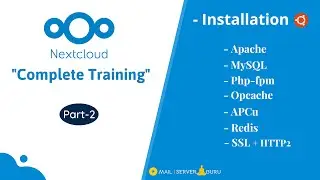
✅ Install Apache2 and PHP Modules.
Install Apache2 and the essential PHP modules for Nextcloud.
Configuring Apache2 for optimal performance.
✅ Install and Configure MariaDB Server
Nextcloud uses MariaDB database server to store data.
We installed MariaDB and create Nextcloud User and Database.
✅ Download Nextcloud, Unzip and Permission
Download the latest version of Nextcloud.
Unzip the downloaded file and set the necessary permissions for the Nextcloud directory.
✅ Install Nextcloud From Command Line
Run the Nextcloud installation script from the command line.
Access Nextcloud from the Web GUI and Check Security & warnings.
📕 Nextcloud Performance Tuning, (Step6-10)
✅ Install and Configure PHP-FPM with Apache
PHP-FPM significantly improves the performance of PHP applications
We will configure Apache to use PHP-FPM.
✅ Create info.php Page for PHP feature check
A simple PHP info page helps to verify that PHP is correctly configured and all the necessary modules are loaded.
✅ Enable OPCache in PHP
OPCache improves PHP performance by storing precompiled script bytecode in shared memory.
OPCache reduces the overhead of parsing and compiling PHP scripts on each request.
✅ Enable APCu in PHP
APCu is a data cache that stores user data (APC User Cache).
This further improves performance by reducing database load for frequently accessed data.
✅ Install and Configure Redis Cache
In Nextcloud, Redis is used for local and distributed caching as well as transactional file locking.
We used APCu for Local Caching which is faster than Redis. We will use Redis for File locking.
📕 Nextcloud Security, (Step11-14)
✅ Install SSL and Enable HTTP2
Secure your Nextcloud instance by installing SSL certificates.
Enable HTTP/2 to improve performance and security.
✅ Enable Strict Transport Security
HSTS instructs browsers to only interact with your site over HTTPS, preventing protocol downgrade attacks and cookie hijacking.
✅ Enable Pretty URL’s
Pretty URLs improve the usability of your Nextcloud URLs by removing index.php from the URLs.
✅ Access Protection with Firewall.
Configuring a firewall adds an additional layer of security.
Only necessary ports will be opened to reduce potential attack vectors.
Chapters:
00:00 - Intro
01:00 - VPS Setup for Nextcloud Installation
02:35 - DNS Setup for the Nextcloud Server
05:25 - Ubuntu 24.04 Update and Upgrade
05:47 - Apache2 Installation
06:00 - Install PHP Modules
07:04 - MariaDB Installation
08:12 - Download Nextcloud Archive
09:00 - Install Nextcloud from the Command Line
12:04 - Nextcloud Security & Setup Warnings
12:52 - Nextcloud Performance Guide
14:30 - Install and Configure PHP-FPM
16:18 - PHP-FPM Pool Configuration
17:52 - Create info.php to check PHP Modules
19:02 - Enable Opcache for Compiled PHP scripts
19:28 - Enable Opcache-JIT (Just in time Compilation)
20:38 - Install APCU for Nextcloud User Data Caching
22:23 - Nextcloud Redis for Transactional File Locking
26:00 - Nextcloud Security Guide
26:44 - Install LetsEncrypt SSL on Nextcloud
28:26 - Nextcloud HTTP2 For Loading Performance
30:00 - Nextcloud Strict-Transport-Security
30:26 - Nextcloud Pretty URL Configuration.
31:40 - Nextcloud Firewall Configuration
#nextcloud #nextcloudsetup #nextcloudinstall
🔔 If you want to learn more, Please visit the WEBSITE:
👉 https://mailserverguru.com
🔔 Please SUBSCRIBE to my Channel, to get my latest videos:
👉 https://youtube.com/mailserverguru?su...
★☆★ CONNECT ON SOCIAL MEDIA ★☆★
👉 𝗟𝗶𝗻𝗸𝗲𝗱𝗜𝗻: / munnavai
👉 𝗙𝗮𝗰𝗲𝗯𝗼𝗼𝗸: / mailserverguru
👉 𝗧𝘄𝗶𝘁𝘁𝗲𝗿: / mailserverguru
𝗔𝘂𝘁𝗵𝗼𝗿: 𝗠.𝗠.𝗥𝗮𝗵𝗺𝗮𝗻 𝗠𝘂𝗻𝗻𝗮
𝗘𝗺𝗮𝗶𝗹: 𝗺𝘂𝗻𝗻𝗮𝘃𝗮𝗶@𝗴𝗺𝗮𝗶𝗹.𝗰𝗼𝗺 || 𝗪𝗵𝗮𝘁𝘀𝗔𝗽𝗽: +𝟴𝟴𝟬𝟭𝟵𝟭𝟮𝟬𝟲𝟰𝟰𝟴𝟯 || 𝗦𝗸𝘆𝗽𝗲: 𝗺𝘂𝗻𝗻𝗮.𝘀𝘆𝘀𝗮𝗱𝗺𝗶𝗻
На этой странице сайта вы можете посмотреть видео онлайн Install Nextcloud on Ubuntu 24.04 LTS 😍👍 | The Ultimate Nextcloud Installation Guide 👑👑 длительностью часов минут секунд в хорошем качестве, которое загрузил пользователь mailserverguru 20 Июнь 2024, поделитесь ссылкой с друзьями и знакомыми, на youtube это видео уже посмотрели 26,544 раз и оно понравилось 239 зрителям. Приятного просмотра!