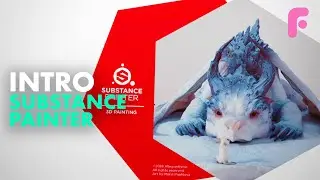
Introduction to Substance Painter - Ultimate Beginners Guide
This is an elaborate tutorial to help you get started with Substance Painter. Check out our full 4-hour premium series for more training!
https://flippednormals.com/downloads/...
02:20 - Navigation & UI
07:31 - Texture Sets
09:55 - Brush Tool
12:49 - Layers
23:47 - Masking
26:09 - The Shelf
31:36 - Projection Tool
33:41 - Polygon Fill
35:45 - Generators & Mask Editor
42:03 - Smart Materials
44:11 - Iray
PBR Guide
https://academy.substance3d.com/cours...
- Navigation & UI
Rotate: Alt LMB
Zoom: Alt RMB
Pan: Alt MMB
Rotate Light: Shift RMB
Split UV View F1
Full 3D View - F2
Full UV View - F3
- Texture sets
Select texture sets - Ctrl Alt RMB
Isolate Texture Set - Alt Q
- Brush tool
Brush tool - 1
Resize - Ctrl RMB left/right
Hardness - RMB up/down
Rotate - Ctrl LMB up/down
Flow - Ctrl LMB left
Straight line - Shift LMB
Lazy Mouse  - D
Symmetry - L
Flip Colors - X
Color picker - P
- Materials and Channels
Next Channels - C
Previous Channel - Shift C
Next baked channel - B
Previous Baked Channel - Shift B
Material - M
Support us by checking out our merch!
https://teespring.com/stores/flippedn...
Subscribe now!
https://www.youtube.com/c/FlippedNorm...
Website - https://flippednormals.com/
Instagram - / flippednormals
Twitter - / flippednormals
Facebook - / flippednormals
Our episodes are also available on all major podcast services!
Auf dieser Seite können Sie das Online-Video Introduction to Substance Painter - Ultimate Beginners Guide mit der Dauer stunde minuten sekunde in guter Qualität ansehen, das der Benutzer FlippedNormals 15 März 2019 hochgeladen hat, den Link mit Freunden und Bekannten teilen, dieses Video wurde auf Youtube bereits 637,217 Mal angesehen und es wurde von 15 tausend den Zuschauern gefallen. Viel Spaß beim Betrachtenden Zuschauern gefallen!