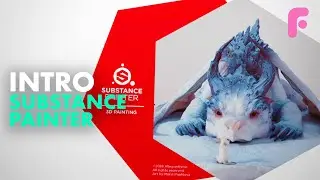
Introduction to Substance Painter - Ultimate Beginners Guide
This is an elaborate tutorial to help you get started with Substance Painter. Check out our full 4-hour premium series for more training!
https://flippednormals.com/downloads/...
02:20 - Navigation & UI
07:31 - Texture Sets
09:55 - Brush Tool
12:49 - Layers
23:47 - Masking
26:09 - The Shelf
31:36 - Projection Tool
33:41 - Polygon Fill
35:45 - Generators & Mask Editor
42:03 - Smart Materials
44:11 - Iray
PBR Guide
https://academy.substance3d.com/cours...
- Navigation & UI
Rotate: Alt LMB
Zoom: Alt RMB
Pan: Alt MMB
Rotate Light: Shift RMB
Split UV View F1
Full 3D View - F2
Full UV View - F3
- Texture sets
Select texture sets - Ctrl Alt RMB
Isolate Texture Set - Alt Q
- Brush tool
Brush tool - 1
Resize - Ctrl RMB left/right
Hardness - RMB up/down
Rotate - Ctrl LMB up/down
Flow - Ctrl LMB left
Straight line - Shift LMB
Lazy Mouse  - D
Symmetry - L
Flip Colors - X
Color picker - P
- Materials and Channels
Next Channels - C
Previous Channel - Shift C
Next baked channel - B
Previous Baked Channel - Shift B
Material - M
Support us by checking out our merch!
https://teespring.com/stores/flippedn...
Subscribe now!
https://www.youtube.com/c/FlippedNorm...
Website - https://flippednormals.com/
Instagram - / flippednormals
Twitter - / flippednormals
Facebook - / flippednormals
Our episodes are also available on all major podcast services!
On this page of the site you can watch the video online Introduction to Substance Painter - Ultimate Beginners Guide with a duration of hours minute second in good quality, which was uploaded by the user FlippedNormals 15 March 2019, share the link with friends and acquaintances, this video has already been watched 637,217 times on youtube and it was liked by 15 thousand viewers. Enjoy your viewing!